.in Domain: India's Official Country Code Extension
.in is the country code top-level domain of India and entered the root zone on 8 May 1989. Names are assigned by NIXI, the National Internet Exchange of India, a not-for-profit body that the Government of India authorised as the .IN registry in January 2005. That is when the zone really opened: a sunrise window for trademark holders ran through January, and real-time registration for the general public began on 16 February 2005. The registry takes no applications directly — you register through an accredited registrar.
On eligibility the door is wide open. The rules state that in the unrestricted zones registration is available freely to all parties worldwide, with no nexus or other qualification. A company based in Türkiye, a sole trader and a private individual all register on the same terms; no local address, agent or trustee is required, and no cap is set on how many names one holder may take. Priority is purely chronological. The sibling third level, .co.in, sits with the same registry under the same rules; the difference is not eligibility but level and the reserved-names list.
Two further details bear on your order. The first is privacy: the registrant terms prohibit any kind of proxy or privacy service and state that a holder whose data is masked will not be recognised as the owner of the name — while the registry already withholds an individual's name and address from its public lookup. The second is the secondary market: in May 2026 NIXI issued an advisory declaring the auction and speculative sale of .in names impermissible, reserving the right to suspend a name without prior notice. Check whether the name you want is free on the domain name search page.
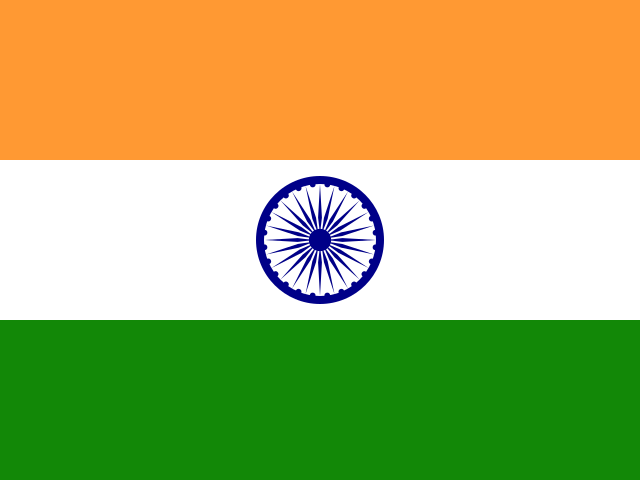
.IN Domain at a Glance
- Assigning authority NIXI — National Internet Exchange of India, New Delhi
- Entered the root zone 8 May 1989
- Opened to the public 16 February 2005
- Technical operator Tucows Registry Services (confirmed by zone measurement)
- Dispute procedure INDRP — statutory arbitration seated in Delhi, conducted in English
- Chain after expiry 45 days auto-renew, 30 days redemption, 5 days final hold
- Document Requirement No documents are required to register a .in domain
- Country India
- Character Length 2 - 63 characters
- Registration Period 1 - 10 years
- Name Server Count 2 - 13 servers
Popular Domain Extensions for India
Registering the same name on more than one extension keeps someone else from taking your brand.
- .co.in
- .in
.in Domain Prices — No Surprise Fees
Registration, transfer and renewal fees are listed separately. The renewal price can differ from the first-year price, so you see both up front.
-
New Registration
$6.99 /year -
Transfer
$7.39 /year -
Renewal
$19.89 /year -
Restore
$64.90 -
Late Renewal
$3.98
Included With Every .in Domain
-
Free DNS management
Change A, MX, TXT and CNAME records yourself from the panel — no waiting on anyone when you move a site or mailbox.
-
Domain lock
While the lock is on, nobody can move your domain to another registrar without your approval.
-
Domain forwarding
Point the domain at your existing site, a campaign page or a social profile — at no extra cost.
-
Free WHOIS privacy
Your name, address and phone stay out of public WHOIS records, which cuts down spam and scam calls.
.in Domain Lifecycle
What happens day by day after it expires
Day 0 is the domain's expiry dateIn short: for .in the post-expiry timeline is set by the registry, so it differs from one extension to the next. The diagram below shows the windows that actually apply to .in, day by day. One thing never changes, whichever extension you hold: renewing before the expiry date is always the cheapest and safest route.
Domain Is Available (Available)
A .in address at this stage has not been taken yet, and it goes to whoever registers first. Check the name you have in mind — if it is free, it can be yours within minutes.
Domain Is Active (Active Period)
Once registration is complete, the domain is registered to you for the term you selected. You can renew at any point before it expires to keep it active, or switch on auto-renewal so you never have to watch the date.
Redemption Period (Redemption Period)
The domain is not released the moment it expires — during this window it is still yours and can be recovered. Some extensions charge an extra restore fee at this stage, so renewing before expiry is always the cheaper route.
Pending Delete Period (Pending Delete Period)
If the redemption window is missed too, the domain enters the final stage and waits to be deleted. Renewal and recovery are no longer possible here; when the period ends the registration is removed for good.
Domain Is Available Again
Once deletion completes, the domain leaves the system and anyone can register it — popular names are often taken the same minute by someone watching. Keep auto-renewal on so a name you care about never gets this far.
.in Domain Specifications and Registration Rules
Registration conditions, supported features and the registry's own timelines in a single table.
.in Domain Registration
- Document Requirement No documents are required to register a .in domain
- Country India
- Character Length 2 - 63 characters
- Registration Period 1 - 10 years
- Name Server Count 2 - 13 servers
.in Domain Support
- IDN Support No
- Transfer Support Yes
- Late Renewal Support Yes
Frequently Asked Questions About .in Domains
The questions people actually ask before registering — answered plainly.
-
No. The rules state that in the unrestricted zones registration is available freely to all parties worldwide, with no nexus or other qualification, and NIXI has issued a separate advisory clarifying that no direction has ever restricted registration to Indian nationals. A company based in Türkiye, a sole trader and a private individual all register on the same terms; no local address, agent or trustee is required, and no cap is set on how many names one holder may take. What is required instead of paperwork is accurate identity: the registrant terms demand a true full name, postal address, email and telephone number, kept up to date, and wilfully false data is grounds for cancellation.
-
Three characters. The registry's rules start the variable field at three, the reserved-names document states that registrations of one or two characters in length are not allowed, and the registry's own FAQ gives the reason: every one- and two-character domain is reserved by government and NIXI order and is not available to the public. Measurement agrees. Single- and double-letter queries are not reported as free; they are rejected as a restricted word, while three-character names both show as available and are actively being registered. The practical consequence is simple: a two-letter .in idea never reaches the order stage, so start any short-name search at three characters.
-
From one year to ten, in whole-year steps. The registry's rules set the minimum term at one year and the maximum at ten, and provide that names renew automatically at the end of their term. The registry also states its own recommendation plainly: taking the name for the longest available period, whether at first registration or at renewal, is the safest way to hold on to it. The registrant terms carry a matching warning, however: the registry is under no obligation to tell you in advance that a term is about to expire, so reminders and renewal tracking rest with you and your registrar. A long term is therefore a risk measure, not just a pricing choice.
-
The chain has three stages. On expiry the name enters an auto-renew grace period of up to forty-five days and keeps working throughout. If the registrar then deletes it, a thirty-day redemption period begins: the name leaves the zone file, the website and email stop, and only the sponsoring registrar can restore it, for a fee. A five-day final hold follows, during which restoration is no longer possible at all. After that the name returns to the pool. The registry states the arithmetic itself: a deleted name is released for re-registration thirty-five days after deletion. Keeping renewal dates under control therefore matters a great deal here.
-
No, and the prohibition is strict. The registrant terms state that any kind of proxy service is not allowed and add that a holder whose data is masked by a privacy or privilege-protection service will not be recognised as the owner of the domain name. The registry's advisory to registrars is blunter still: privacy protection services are not permitted, and where the registry detects a proxy registration or inaccurate data it will move to suspend or delete the name. The good news is that you do not need one: the registry already withholds an individual's name, street address, telephone and email from its public output. Verify yours on the whois search page.
-
The authorisation code comes from your registrar, not from the registry. The registry's FAQ says so directly: the code is six to sixteen characters, it is assigned by the registrar, NIXI does not give auth codes to registrants, and registrars are contractually required to supply it on request. You hand the code to the gaining provider, which initiates the transfer, and the operation completes over five twenty-four-hour periods. Two hard constraints apply: no registrar change is permitted in the sixty days following creation, and every completed transfer adds one year to the term and is charged for it. Start on the domain transfer page.
-
On eligibility there is no difference at all: both sit with the same registry under the same rules and both are open to anyone worldwide. The difference lies in three other places. First, level: .in is second level and .co.in is third, so your address reads longer. Second, the reserved-names list: the registry limits that document to the second level and the second level only, so state, country and institutional names that are closed under .in are held by ordinary registrants under .co.in. Third, history: .co.in served as India's corporate namespace for years before the second level opened to the public.
-
Through INDRP, not UDRP. The complaint goes straight to the .IN registry, NIXI appoints the arbitrator from its own empanelled list, and the outcome is not an administrative panel decision but a binding arbitral award under Indian arbitration law; the seat is Delhi and the Delhi courts have exclusive jurisdiction. The timetable is written down: the arbitrator is appointed within five working days, notice reaches the respondent within three working days, and the award is due within sixty days, extendable by at most thirty with written reasons. Proceedings run in English. The threshold also differs: bad-faith registration or bad-faith use suffices, and the complainant pays the fees in advance.
-
No. The registry's rules are unambiguous for now: until further announcement no applications are accepted for names in internationalised script, and labels carrying hyphens in the third and fourth positions are rejected — which closes the punycode form itself. Measurement confirms it. Names in Devanagari, Tamil and Bengali script draw the same policy-violation response as a Latin name with an accent, so the refusal attaches to the form rather than to the script. India's multilingual programme genuinely exists, but it lives in separate top-level zones covering more than twenty Indian languages, not underneath .in, and those zones are not what this page covers.
Ready to Claim Your .in Domain?
Type a name and see in seconds whether it is free on .in. If it is taken, we list close alternatives right away.
Get Help for .in Domain Registration
Need help registering a .in domain? Our team is ready to assist.