10 Best WordPress A/B Testing Tools to Optimize Conversion Rate
13.07.2026
Ever seen a red warning in your browser's address bar, or the words “Your connection is not private”? Or noticed visitors abandoning their cart the moment they reach checkout? More often than not, the culprit is something small but critical: a missing SSL certificate.
This guide explains exactly what SSL is, why your website needs it, which type is right for you, and how you can have it installed in minutes — in plain language. Whether you run a personal blog or a growing online store, by the end of this guide you'll be able to make the right call for your own site.
Short answer: SSL (Secure Sockets Layer) is an internet security technology that encrypts the data exchanged between your website and its visitors. It prevents information entered on your site — passwords, credit card numbers, contact form details — from being read by anyone else while it's in transit.
What Is an SSL Certificate, in One Sentence?
An SSL certificate is a digital security certificate that encrypts the communication between a website and its visitors and enables an HTTPS connection. It protects user data, displays a secure-connection indicator (the padlock icon) in the browser, and acts as an important trust signal for search engines.
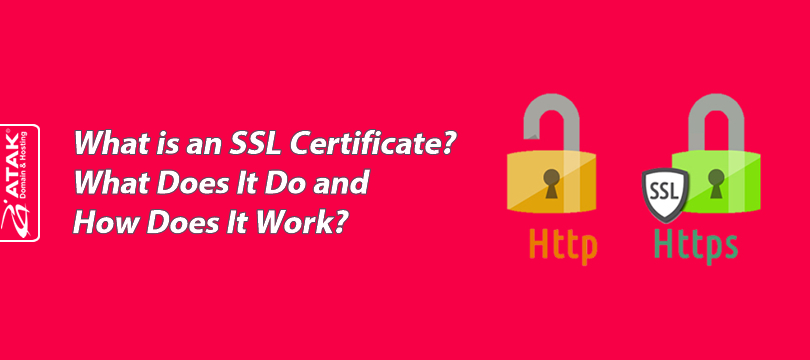
Once an SSL certificate is installed on a website, the address bar changes from HTTP to HTTPS (Hyper Text Transfer Protocol Secure). That single letter makes all the difference: it determines whether all of your site's traffic is encrypted. The most visible sign of this to users is the padlock icon that appears in the browser's address bar.
Think of it this way: a site without SSL is like a letter sent in an open envelope — anyone along the way can read it. A site with SSL is like a locked safe — only the party with the right key can see what's inside.
SSL relies on a pair of digital codes known as a “public key” and a “private key.” The public key is shared with whoever is sending data to you, and they use it to encrypt that data. The encrypted data can only be unlocked using the private key, which stays with you.
In practical terms: even if the data is intercepted while travelling across the internet, it's meaningless without the private key. Depending on the certificate, 128-bit or 256-bit encryption is used — the higher the number, the harder the encryption is to break. 256-bit encryption is, for all practical purposes, unbreakable with today's technology.
Although the term “SSL” is still used everywhere — including in this guide, since it's what people search for — the protocol actually securing modern websites is TLS (Transport Layer Security), the technical successor to SSL. SSL itself was deprecated years ago due to known vulnerabilities, and every certificate authority today issues certificates that operate using TLS encryption. In other words, when you buy an “SSL certificate” from any provider, including Atak Domain, you're getting TLS encryption under a name the industry never stopped using. For everyday purposes the terms are interchangeable, and you don't need to do anything differently — but it's worth knowing if you ever see “TLS certificate” used instead of “SSL certificate.”
A site without SSL fails to meet the basic security expectations of today's internet. In concrete terms, you'll run into:
Data security risk: Form submissions, account credentials, and payment details are transmitted unencrypted and can be intercepted by malicious actors.
Browser warnings: Chrome, Firefox, and Edge all flag unencrypted sites as “not secure” — and most visitors leave the moment they see that warning. Chrome alone accounts for the large majority of browser usage worldwide, so a site without SSL risks showing this warning to most of its visitors.
Loss of trust: A site without the padlock icon creates hesitation, especially on payment pages, and lowers conversion rates.
An SEO disadvantage: Search engines treat HTTPS as a trust signal; a site without SSL misses out on that advantage.
If you're seeing this warning on your own site right now, the fix is simpler than it looks. Browse SSL Certificates → to pick the right certificate for your site and leave the installation to us.
This is the most practical question anyone researching SSL eventually asks. Free SSL certificates (such as Let's Encrypt) offer the same encryption strength as paid ones. But there are real differences:
Free certificates are typically issued for short periods (often 90 days) and require regular renewal.
They don't provide organization validation — they only confirm domain ownership.
They generally don't come with a warranty or insurance amount.
Technical support and troubleshooting are more limited than with paid certificates.
In short: if you run a personal blog or a low-traffic informational site, free SSL is usually plenty. But if you collect payment information, need to build customer trust, or want to project a corporate identity, a paid DV, OV, or EV certificate is the sturdier choice.
Not sure which option is right for you? Don't worry — Atak Domain's support team will help you find the right fit.
Tip: If a free certificate like Let's Encrypt hits a server-side hiccup during automatic renewal, your site can suddenly show a “not secure” warning again, with no warning. This is, in fact, one of the most common SSL issues our support team sees: the automatic renewal silently fails, and the site owner only finds out days later. To avoid that risk — especially for e-commerce and corporate sites — a paid certificate with professionally managed renewal is always the safer harbor.

SSL certificates fall into three main categories based on how thoroughly they validate you. All three encrypt data with the same strength; what differs is how deeply the certificate authority verifies you and your company.
The fastest and most affordable option. The certificate authority only verifies that you own the domain, typically through an automated email or DNS check completed in minutes. Ideal for personal blogs, portfolio sites, and informational pages.
Browse DV SSL options →
Adds a layer on top of domain validation: the certificate authority confirms your company is a legally registered, active business. The process takes a few business days but adds a visible trust layer for visitors who check your company details. As the most common business SSL certificate, it's recommended for membership sites and business websites.
Browse OV SSL options →
The most rigorous validation process available. Your company's legal, physical, and operational existence is verified through a strict procedure. The result is the highest level of organizational trust, making it easier for visitors to verify the identity of the website owner. The standard choice for online banking, large e-commerce sites, and payment infrastructure.
Browse EV SSL options →
| SSL Type | Validation Level | Issuance Time | Best For |
|---|---|---|---|
| DV SSL | Domain ownership only | Minutes | Blogs, portfolios, informational sites |
| OV SSL | Domain + company identity | A few business days | Business websites, membership sites, SMBs |
| EV SSL | Domain + company + operational review | Up to a week | E-commerce, payment systems, financial institutions |
| Wildcard SSL | Domain + all subdomains | Varies by brand | Sites with many subdomains (mail., blog., shop.) |
| Multi-Domain SSL | Multiple separate domains | Varies by brand | Organizations managing up to 250 domains under one certificate |
Personal blog or portfolio: DV SSL is sufficient and the most economical choice.
Business website / SMB: OV SSL, if you want to put corporate trust front and center.
E-commerce, payments, finance: EV SSL, for high-traffic sites looking to reduce cart abandonment.
Many subdomains (mail., blog., shop.): Wildcard SSL.
Multiple separate domains: Multi-Domain SSL.
Once you've decided, you can browse all options on the Atak Domain SSL Certificates page.
At Atak Domain, we manage the activation and installation of thousands of SSL certificates, and we offer solutions from leading certificate authorities including Comodo, DigiCert, GeoTrust, RapidSSL, and GlobalSign. One clear pattern we see in that process: e-commerce sites that process payments tend to upgrade from DV SSL to OV or EV SSL over time.
“Best” isn't a single brand — the right answer always depends on your needs:
| Your Need | Recommended Type | Example Brand |
|---|---|---|
| Personal blog / small site | DV SSL | Comodo PositiveSSL |
| Business website | OV SSL | GeoTrust |
| E-commerce / payment system | EV SSL | DigiCert |
| Many subdomains | Wildcard SSL | Wildcard SSL |
| Multiple separate domains | Multi-Domain SSL | Multi-Domain SSL |
| Top-tier enterprise security | OV / EV SSL | GlobalSign |
Brand choice largely comes down to your budget and your business requirements:
Low-budget blog or personal site: Comodo PositiveSSL or RapidSSL — budget-friendly brands.
Business website: GeoTrust — a balanced price-to-trust ratio.
Large enterprise or financial sites: DigiCert or GlobalSign — premium-tier brands.
Not sure which brand fits? Compare all options on the Atak Domain SSL Certificates page or get a recommendation from our support team.
If you run yoursite.com alongside subdomains like blog.yoursite.com or support.yoursite.com, buying a separate certificate for each one wastes both time and money. Wildcard SSL protects your main domain and all of its subdomains with a single certificate.
If you own entirely separate domains instead (for example, yourbrand.com and yourbrand.net), Multi-Domain SSL is the better fit — this certificate type can secure up to 250 different domains under a single certificate.

Getting SSL set up looks technical at first glance, but it really comes down to a few simple steps:
Identify your need: DV SSL is enough for a simple blog; an e-commerce site is better served by OV or EV SSL.
Choose the right type: Use the comparison above to find the certificate that matches your site.
Purchase and complete validation: This takes minutes for DV SSL; OV and EV SSL may require corporate documentation.
Get it installed: Once approved, the certificate needs to be installed on your web server. Installation is free on every certificate purchased through Atak Domain — just open a support ticket.
Track renewal: Certificates are typically valid for one year. If you don't renew in time, your site will be flagged as “not secure” again.
If you're installing it on your own server, our step-by-step guides make it easier: cPanel SSL installation, Plesk SSL installation, or Microsoft IIS SSL installation. Not sure which hosting setup you're on? Our Atak Domain Hosting team can walk you through the whole process.
SSL pricing depends on the validation level (DV, OV, EV) and the brand. If you're looking for a cheap SSL certificate, DV SSL is generally the most affordable option, while OV and EV SSL are priced higher due to their more thorough validation process. Here are current starting prices for some popular certificates at Atak Domain:
| Certificate | Type | Starting Price |
|---|---|---|
| Comodo PositiveSSL | DV | $0.83/mo |
| RapidSSL | DV | $1.49/mo |
| GeoTrust QuickSSL Premium | DV | $5.67/mo |
| GlobalSign Domain SSL | DV | $11.66/mo |
| DigiCert OV SSL | OV | $31.58/mo |
On top of these prices:
Installation is completely free and handled by professionals,
You get free help from our technical support team,
Certificates work with all banks and offer 100% browser compatibility.
See current SSL prices and all packages →
Note: The prices above are accurate as of publication and may change based on brand, promotions, and currency fluctuations. Please check the pricing page for the most current figures.
Yes, using SSL is a search engine ranking signal. Search engines view sites running on HTTPS more favorably from a user-security standpoint. But it's not a magic SEO fix — it's one signal among others, including content quality, user experience, and page speed. That said, sites without HTTPS are at a real disadvantage in modern search results and may struggle to compete against secure websites covering the same topic.
Even with SSL installed, browser errors can still occur. Here are the most common ones and the general direction for fixing them:
NET::ERR_CERT_COMMON_NAME_INVALID: Means the certificate doesn't match the domain being visited. This usually happens when the certificate was issued for the wrong version of the domain (with or without www); check that the certificate is correctly assigned to your domain.
ERR_CERT_DATE_INVALID: Means the certificate has expired or the server's clock is wrong. Renew the certificate or check your server's date and time settings.
SSL Certificate Not Trusted: Occurs when an intermediate certificate is missing from the chain; make sure the full certificate chain is installed correctly on the server.
Mixed Content Error: Happens when a page loads over HTTPS but some of its images, scripts, or stylesheets are still being called over HTTP; updating those resources to HTTPS resolves it.
Seeing any of these errors and not sure how to fix it? Our Atak Domain support team can take a look free of charge.
It's not a legal requirement, but since browsers flag sites without SSL as “not secure,” it has become practically mandatory.
Yes, HTTPS is a ranking signal, though it's not decisive on its own — it works alongside factors like content quality.
Yes, in terms of encryption strength. However, since it doesn't provide organization validation or a warranty, it may not be sufficient on its own for high-traffic commercial sites.
DV SSL activates within minutes; OV SSL usually takes a few business days; EV SSL can take up to a week depending on documentation.
No, they're not the same. SSL (and its modern successor, TLS) is the encryption technology behind HTTPS; HTTPS is the name of the secure connection protocol that uses that encryption.
TLS is the technical successor to SSL and is what actually secures modern websites; SSL itself was deprecated years ago. The industry still calls them “SSL certificates” out of habit, but they run on TLS encryption.
Technically yes, but it's a serious security vulnerability and generally violates payment processors' security standards. Running a payment system without SSL is not recommended in practice.
All three encrypt data with the same strength; the difference is the depth of identity validation. DV verifies only the domain, OV verifies the company, and EV verifies the company under the strictest standard.
Browsers will flag your site as “not secure” again, which can lead to visitor loss and lower conversions. That's why tracking your renewal date matters.
This is usually a Mixed Content Error: the page loads over HTTPS, but some images or scripts are still being called over HTTP. Updating those resources to HTTPS fixes it.
If you have multiple subdomains (mail., blog., support., etc.), a single Wildcard SSL certificate can cover an unlimited number of subdomains under the same main domain.
There's no single “best” brand — the right choice depends on your needs. Comodo PositiveSSL or RapidSSL for blogs, GeoTrust for business sites, and DigiCert or GlobalSign for e-commerce and high-security projects are common picks.
No. Certificates purchased through Atak Domain are installed for you, free of charge.
As long as you have the private key, the certificate file, and the intermediate certificates, you can move your certificate to your new server.
A website security certificate — what most people simply call an SSL certificate — is no longer an “optional detail.” It's the foundation of earning visitor trust, protecting data, and staying competitive in search rankings. You now know which type fits your site and how the process works; the only thing left is taking the first step.
Buy your SSL certificate now → Secure your site in minutes with free installation and free support.