Business Email with Your Own Domain – Plans and Pricing

- Business Email Packages from $0.99/month
More Trust, More Sales withBusiness Email
Set up your business email today Free mail migration
  • Active in 2 minutes — only a domain is required, no website needed
  • AI-powered spam protection — including phishing and virus blocking
  • Professional email infrastructure — built for secure business communication
Illustration of a business email service on your own domain
Ready in 2 Minutes
Start using it instantly, no technical knowledge required
Smart Spam Protection
Unwanted emails are automatically blocked with AI
4
★ ★★ ★★ ★★ ★★ ★
Free setup assistance
99.99% uptime
24/7 support tickets
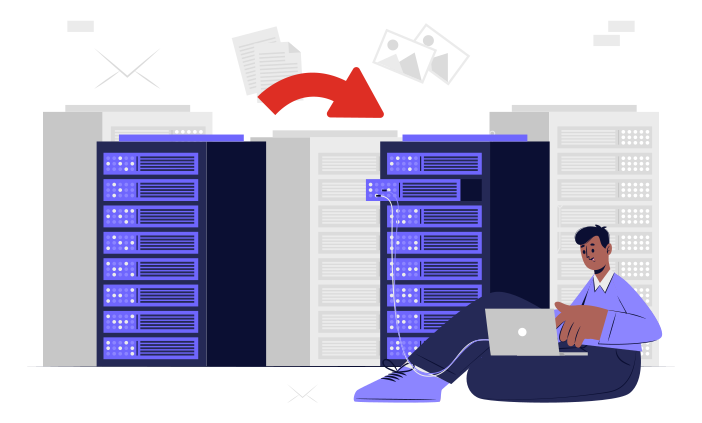
Free Mail migration

Business Email Plans and Pricing

Discover our business email plans to suit every need and budget!

Starter Business Email Plan

For teams with low email traffic and beginners
$0.99/month
Free .CYOU + ME

Features

5 GB SSD Storage
IMAP / POP3 / SMTP Support
Mobile Access via MailLB
Anti-Spam & Anti-Virus Protection
AI-Powered Content and Spam Filtering
SSL Security
Advanced Email Management Panel
Webmail with English Language Support
Free .ME + .CYOU Domain
Customer Support

Business Email Plan

For professional teams with heavy email communication
$1.49/month
Free .CYOU + ME

Features

15 GB SSD Storage
IMAP / POP3 / SMTP Support
Mobile Access via MailLB
Anti-Spam & Anti-Virus Protection
AI-Powered Content and Spam Filtering
SSL Security
Advanced Email Management Panel
Webmail with English Language Support
Free .ME + .CYOU Domain
Customer Support
MOST POPULAR

Professional Business Email Plan

For businesses that require user management and technical support
$1.99/month
Free .COM.TR + .CYOU + ME

Features

50 GB SSD Storage
IMAP / POP3 / SMTP Support
Mobile Access via MailLB
Anti-Spam & Anti-Virus Protection
AI-Powered Content and Spam Filtering
SSL Security
Advanced Email Management Panel
Webmail with English Language Support
Free .ME + .CYOU Domain
Customer Support

VIP Business Email Plan

For those seeking high storage and comprehensive email management
$4.99/month
Free .COM.TR + .CYOU + ME

Features

100 GB SSD Storage
IMAP / POP3 / SMTP Support
Mobile Access via MailLB
Anti-Spam & Anti-Virus Protection
AI-Powered Content and Spam Filtering
SSL Security
Advanced Email Management Panel
Webmail with English Language Support
Free .ME + .CYOU Domain
Customer Support

What Is Business Email?

A business email is an email address on your company's own domain, such as name.surname@companyname.com. Business email hosting is the service that stores those mailboxes and sends and receives your mail. Writing from your own domain instead of a free Gmail or Hotmail address shows customers who they are dealing with and keeps all company communication under your brand.

Business Email Address Examples

Corporate email addresses include site extensions. Here are some domain with email address examples:

With these email addresses, you can both track all your communications and manage your communication channels better by dividing your company into departments.

Branded company email accounts with spam protection

How to Get a Business Email in 4 Steps

Follow these 4 steps to buy business email that is uninterrupted, advanced, and professional!

Four steps to business email: choose a domain, pick a plan, activate the mailbox

1. Register Your Domain Name

The first step is to choose the domain name your email addresses will use (for example, YourCompany.com). If you don't have a domain yet, you can register one on our Domain Registration page.

2. Compare Business Email Plans

Compare the four business email plans by storage, security and included extras, then add the one that fits your team to your cart.

3. Complete Checkout and Payment

Review the business email package and the number of users you've added to your cart. Finalize your purchase through our secure payment infrastructure.

4. Create and Activate Your Email Account

After logging into your account, navigate to "My Hostings > My Email Hostings." Click on the "Mail Management" section. A new area will open where you can create your domain-specific email address. Simply set up your email address and password in this section to start using your business email account.

Business Email Features and Benefits

High-quota business email service offering up to 100 GB of email storage per user, depending on your package.

Custom Email Address with Your Domain

Services like Gmail or Hotmail don’t provide a professional image for you or your business. By using a custom email with your own domain, you can build credibility and inspire trust in your customers.

Up to 100 GB of Email Storage

With high-capacity email service offering up to 100 GB per user, depending on your package, you can store hundreds of thousands of emails without deleting anything — and access them anytime you need. Need more space? You can instantly upgrade to even higher storage plans.

Advanced Email Security

Every message you send and receive travels over an SSL-encrypted connection. Anti-spam, anti-virus and phishing filters stop harmful mail before it reaches your inbox, and our free lookup tools let you check your domain's SPF, DKIM and DMARC records.

IMAP, POP3 and SMTP Compatibility

Our email service is fully compatible with popular email clients like Outlook, Apple Mail, eM Client, and Thunderbird — giving you complete control on any platform.

New Feature

AI-Powered Anti-Spam Protection

Are you tired of the unnecessary emails that fill your inbox every day, distracting you and wasting your time? Classic spam filters and free mail services are often insufficient, failing to filter the spam and phishing emails you don't want to see.

Our business email runs on the MailLB infrastructure, where an AI filter analyses incoming mail, learns from it and automatically moves spam and phishing out of your inbox. You spend less time sorting mail, and your team is better protected against phishing attacks.

AI-powered anti-spam on the MailLB infrastructure filtering spam and phishing

Email Management and Support Services

Email setup guide for Outlook, Gmail, iPhone and Android

Email Setup Guide

You can access and manage your private email account, which reflects your company email or individual image, through many alternative methods. Define your e-mail address in Webmailphone (iPhone, Android), Outlook, Thunderbird or Gmail address and You can simplify your email management.

Comprehensive Email Setup Guide
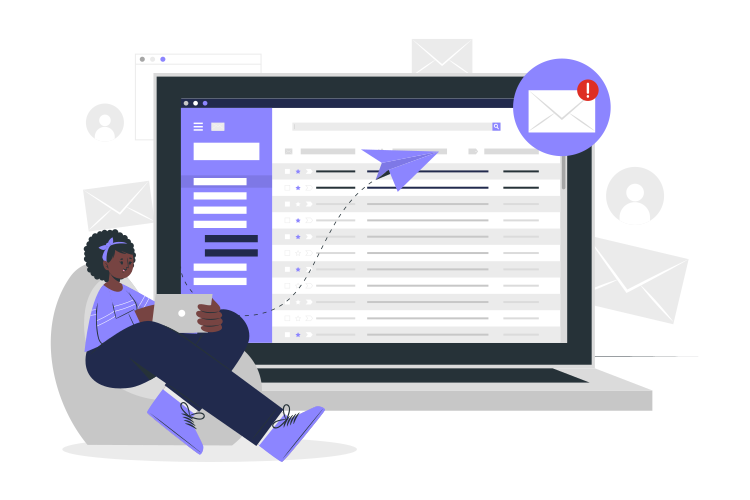
Webmail interface with filters, auto-reply and mailbox management

Advanced Email Interface

Our business email comes with a modern webmail interface built for everyday work: fast, easy to use and reliable.

Reach your mailbox from the office or on the go on any device, and use filters, auto-replies and spam protection to keep important messages in front of you.

Business email in Outlook, Apple Mail and Thunderbird on desktop and mobile

Compatible with Major Devices and Email Clients

Mail LB is fully compatible with popular e-mail programs such as Outlook, Apple Mail, eM Client, Thunderbird. Automatic account setup is 100% supported. You can use your Business Email service on all platforms such as Outlook, MacOS Mail, Windows, IOS and Android and manage your e-mails on these platforms you are accustomed to.

Free phone support for email setup, migration and backup

Free Expert Phone Support

Email management can sometimes be a mess. With the free “Expert Phone Support” offered by Atak Email service, email management is even easier! You can get free phone support from our expert support team on email setup, transfer, backup, and forwarding.

Free remote support: our team sets up your email on your computer

Free Remote Setup Support

Can't manage your email yourself? No problem. With Atak Domain's free remote support, our experts connect to your computer and take care of forwarding, migration and setup for you.
DMARC Lookup

Instantly check your domain's DMARC record.

Check
DKIM Lookup

Test your DKIM record to boost email security.

Check
SPF Lookup

Verify your SPF record accuracy in seconds.

Check
MX Lookup

Check your email routing settings with MX records.

Check

What to Consider When Choosing a Business Email Service

A business email is a company's digital business card and one of its most critical communication channels. Therefore, the process of how to create a business email is much more than just a technical task. Here’s what you should consider when you buy professional email:

Choose a Domain That Matches Your Brand

Your domain name should perfectly match your company or brand name. A clear domain with email address, like companyname.com, makes it easy for customers to find and remember you. Using a different or irrelevant domain name can damage your credibility and create confusion.

Choosing a domain name that matches your company brand
Standard address format for employee email accounts

Standardize Employee Email Address Formats

Adopt a consistent format for the addresses you create for your employees. This creates a perception of corporate order.

Recommended Formats
firstname.lastname@companyname.com or f.lastname@companyname.com

Use Department Email Addresses Effectively

Create department-specific email addresses to organize internal workflow and external communication. This ensures that incoming requests reach the right people instantly. For example, getting an "info" email for general inquiries will strengthen inter-departmental communication.

Recommended Formats
info@atakdomain.com - (General Information)
support@atakdomain.com - (Customer Technical Support)
accounting@atakdomain.com - (Accounting)
Department addresses such as info, support and accounting in one company
Aliases and forwarding: info, support and orders mail in one inbox

Scalable and Secure Email Management

The right business email service not only simplifies your work today but also protects you from major chaos and data loss tomorrow. Choosing the right hosting service for email is a key part of this strategy.

Use Email Forwarding and Aliases

Use Forwarding and Aliases: Do you have a small team? One person might handle multiple roles. With email hosting solutions, you can forward all emails from different addresses like info@, support@, and orders@ to a single person's inbox (e.g., john.smith@...). This way, you project a professional and larger company image externally while simplifying email management. This is a crucial feature of good email business services.

Protect Email Data During Employee Offboarding

Deleting an employee's mailbox the day they leave can wipe out important customer conversations. Instead, keep the account and forward incoming mail to their manager or the relevant department, so no customer message gets lost.

Free email migration from your current provider

Free Business Email Migration Service

Moving from another provider? After you buy business email at Atak Domain, just open a support request: our team migrates your existing mail to the new mailboxes free of charge, without interrupting your work. Migration is available when certain technical requirements are met; our Support Center has the details.

Request Free Migration

Benefits of Using Business Email

Are you looking to put an end to the negative experiences you've had with free email providers?
Discover the advantages of our business mail hosting service:

Are you dissatisfied with the infrastructure of your current company email? Is your disk space insufficient, are you unable to block spam, and are you exposed to phishing attacks? With our professional business email service, you can solve these problems from the ground up and secure your communication.

Secure, high-capacity mail infrastructure instead of a full free inbox

Build a Professional Brand Image

With a company domain email, you can create separate addresses for different departments and establish a professional image.

Advanced Spam, Virus and Phishing Protection

The advanced filters of the MailLB infrastructure largely keep malware, phishing attempts and spam out of your inbox.

Email Encryption and Data Privacy

All emails sent and received are encrypted. We also comply with legal regulations such as the Personal Data Protection Law (KVKK) and fulfill our legal responsibilities. This is a crucial aspect of our email hosting solutions.

High-Capacity Email Storage

With 5 GB of SSD disk space, you can store more than 5,000 emails, including proposal emails with large files, and save your messages without any storage issues.

99.99% Email Uptime Guarantee

With our hosting service for email servers' 99.99% uptime guarantee, you can send and receive emails 24/7 without interruption.

Calendars and Address Books for Team Communication

You can plan your meetings with personal calendars and strengthen internal company communication.

Advantages of Getting a Custom Email Address

  • Uninterrupted Access and Speed
  • AI-Powered Anti-Spam
  • High Email Open Rates
  • Low Spam Sending Rate
Buy Now
Benefits of a custom email address: AI anti-spam, reliable access, high open rates

Frequently Asked Questions About Business Email

Answers to common questions about business email at Atak Domain

What is a business email?

A company domain email is an official email address created using a company's or organization's own domain name (e.g., yourname@companyname.com). These addresses reflect the business's brand identity, increase credibility, and provide a professional impression.

How do I create a business email address?

To open a business email account through Atak Domain, you first need to have a domain name and an email hosting service. To buy business email, you must first purchase the desired business email package and then follow these steps: "Customer Panel > My Hostings > My Email Hostings > Mail Management > Add New Email" to create your business email.

Why should I use a business email?

A business email strengthens your company's professional image and brand awareness. It builds trust with customers and partners, centralises internal and external communication for better control over your data, and lets you organise work with department addresses such as support@ and sales@.

How do I log in to my business email?

To log into your business email address, you must have completed the purchase process and the email creation steps. You can log in using the email address and password you selected during creation at MailLB webmail login page.

How do I set up my business email?

For instructions on business email setup and to learn how to get a business email domain, you can refer to our guide here: email setup guide

Does business email block spam and junk email?

Yes, professional business email services have more advanced and customizable spam filtering systems compared to standard email services. These systems significantly block unwanted messages, including malware and phishing attacks, keeping your inbox clean and enhancing company security.

Can I use business email on my computer and phone at the same time?

Yes, you can. All actions such as "reading, deleting, or sending emails" that you perform on your computer can also be done on your mobile devices.

Do I need a website to get a business email?

No, it is not mandatory. The primary requirement for a business email is not a website, but a domain name. After just registering a domain, you can purchase a business hosting service for email and start using your business email addresses even without an active website.

What happens to an employee's email account when they leave the company?

When an employee leaves, you can forward their email address to a different department or archive the emails and transfer them to a new address after changing the login credentials. This is a key aspect of managing your email business services effectively.

Can I get a business email without a domain name?

No, you cannot. Having a domain name is necessary to register a business email address. The entire concept is built around having a domain with email address.

We Support. You Grow Your Business.

Our team is ready to assist whenever you need us.

Why choose Atak Domain? Trusted worldwide Grow your business Websites made easy 24/7 expert support tickets