
The Rise of Personal Branding: How Unique Domains Can Define Your Online Legacy
25.01.2024
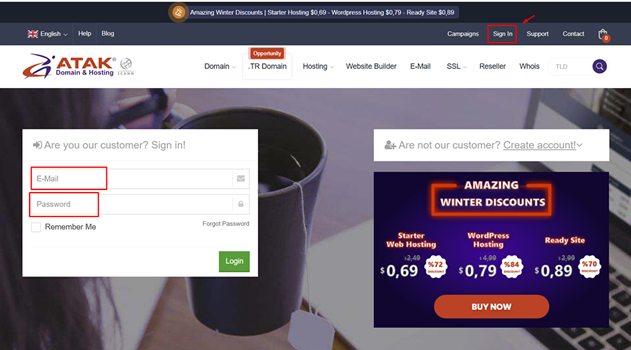
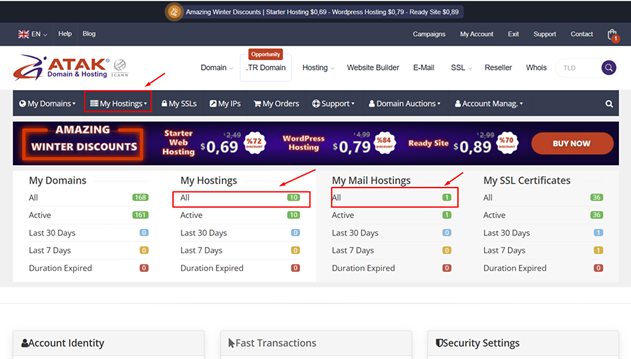
To change the password for your corporate email address or the email address linked to your hosting package registered with Atak Domain, follow these steps:
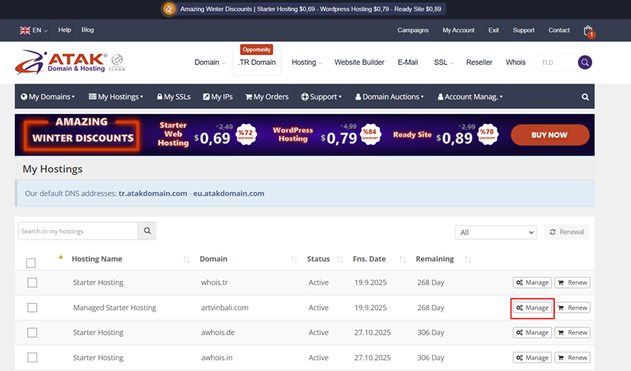
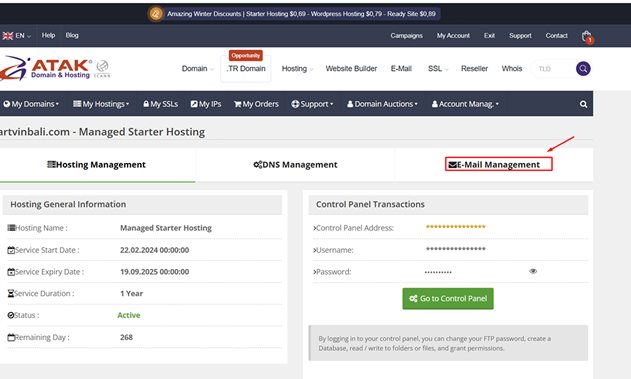
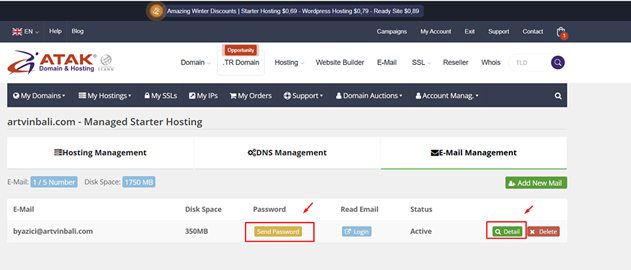
In the Save Email window, click Create New Password to generate a strong password, or type your own in the E-Mail Password field, then click Save.
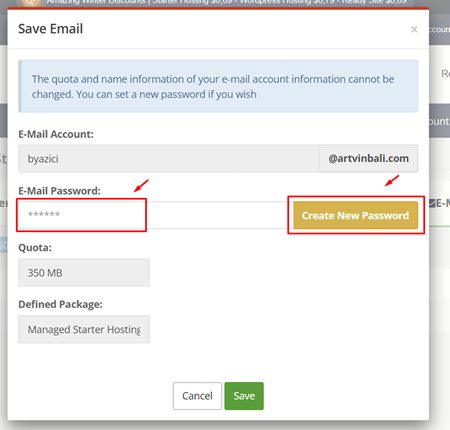
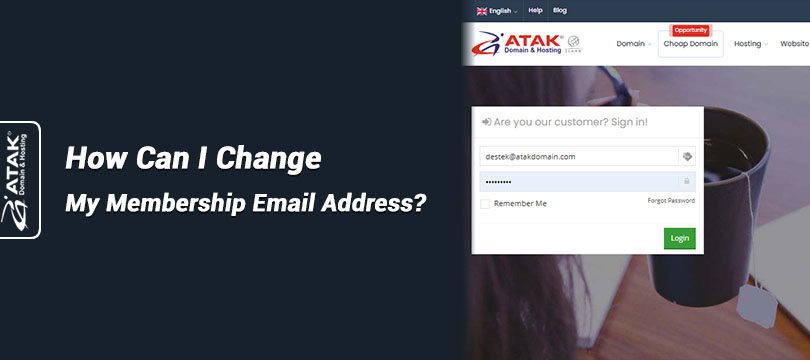
If your membership email is the very mailbox you are locked out of, you won’t be able to read the password that Send Password delivers, so use Detail to set a new one directly. If your membership email is an old address you no longer check, see how to change your membership email address.
The old password stops working as soon as you save the new one, so update it in Outlook, Apple Mail, Thunderbird and the mail app on your phone. If you pick your own password, use at least 12 characters mixing letters, numbers and symbols, or let our password generator create one.
Still can’t open your mailbox with the new password? Contact our support team.