How to Buy a Domain Name in 2026
14.10.2026
Visit an HTTP site in Chrome today and the address bar shows “Not Secure” in plain text before the URL. Most visitors see that warning and leave — often before reading a single word of your content.
An SSL certificate removes that warning, encrypts every byte of data exchanged between your site and its visitors, and signals to browsers, search engines, and users that your site is what it claims to be. It is not a premium feature. For any site that collects a name, email address, or payment detail, it is a baseline requirement — technically, commercially, and in many jurisdictions, legally.
This guide explains what SSL does, which type you need, what the free vs. paid distinction actually means, and why putting it off is more expensive than it looks.
Compare DV, OV, EV and Wildcard SSL certificates at Atak Domain
An SSL certificate is a digital credential that encrypts data exchanged between a website and its visitors. Technically, the protocol in use today is TLS (Transport Layer Security), which replaced the original SSL standard — but the industry continues to call it SSL, and that convention is not changing.
Without a certificate, data sent to or from your site travels as plain text. Anyone positioned between the visitor and your server — on the same Wi-Fi network, for instance — can read or modify that data in transit.
With a certificate, the same data is encrypted into an unreadable stream. Only the server holding the private key corresponding to the certificate can decrypt it. The certificate also functions as a verified identity document: the padlock in the browser address bar confirms that an independent certificate authority has validated the connection.

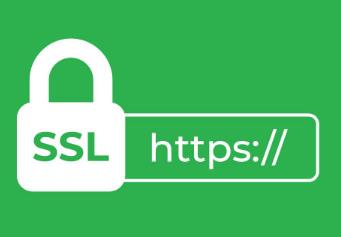
The only visible difference between HTTP and HTTPS is the “S” — but what it represents is substantial.
Since 2018, Chrome has flagged all HTTP pages as “Not Secure” in the address bar. Firefox and every other major browser followed. The visible consequence: visitors who see that warning on a page asking for a form submission or payment very often do not complete the action.
If your site collects any personal data — name, email, phone number, payment information — operating without HTTPS is likely a violation of applicable data protection law. GDPR in the EU requires appropriate technical security measures for personal data processing. The same obligation exists under equivalent legislation in other jurisdictions.
All SSL certificates provide the same encryption strength. The differences are in the validation depth and what the certificate communicates to visitors.
| Your Situation | Certificate Type |
|---|---|
| Personal blog, portfolio, or basic site | DV SSL — fast, low cost |
| Corporate website or B2B platform | OV SSL — company identity verified |
| E-commerce, finance, or payment processing | EV SSL — strongest trust signal |
| Site with multiple subdomains | Wildcard SSL — one cert, all subdomains |
| Multiple different domains | Multi-Domain (SAN) SSL — one cert, many domains |
| Small project, budget-conscious | Let's Encrypt (DV) — free, auto-renewing |
The table below compares five certificate types across validation scope, ideal use case, browser display, and overall rating.
| Type | Validation Scope | Best For | Browser Display | Rating |
|---|---|---|---|---|
| DV SSL | Domain only | Blogs, portfolios, landing pages | 🔒 HTTPS + padlock | ★★★ |
| OV SSL | Domain + organization | Corporate sites, B2B, e-commerce | 🔒 HTTPS + padlock | ★★★★ |
| EV SSL | Domain + org + legal entity | Banks, fintech, high-volume retail | 🔒 HTTPS + padlock + name | ★★★★★ |
| Wildcard | Domain + all subdomains | Sites with multiple subdomains | 🔒 HTTPS + padlock | ★★★★ |
| Multi-Domain | Multiple domains | Different domains under one cert | 🔒 HTTPS + padlock | ★★★★ |
The fastest and most affordable option. The certificate authority verifies only that the domain belongs to you — no company information required. Issuance typically completes in minutes. Appropriate for personal blogs, portfolio sites, landing pages, and straightforward informational sites.
The authority verifies the domain and the existence of the organization: legal name, address, and registration. Validation takes a few business days. The right choice for corporate websites, B2B platforms, and e-commerce sites where institutional trust matters. Company details are visible in the certificate.
The most thorough validation: domain ownership, company identity, legal standing, and physical address are all independently verified. In some browsers, the company name appears alongside the padlock. Standard for banks, financial institutions, and high-volume e-commerce. The strongest available trust signal.
A single certificate covers the base domain and all subdomains (*.yourdomain.com). mail.yourdomain.com, api.yourdomain.com, shop.yourdomain.com — all covered under one certificate. Significantly more economical than separate certificates for each subdomain once you have three or more subdomains to manage.
Covers multiple distinct domain names under a single certificate. yourdomain.com, yourdomain.net, and yourdomain.co.uk can all be secured together. Simplifies management for organizations that maintain several domains.

Google confirmed HTTPS as a ranking signal in 2014. The direct effect is modest — equal-quality pages, one on HTTPS and one on HTTP, the HTTPS page gets a small advantage. But the indirect effects compound in ways that matter for competitive search:
An SSL certificate alone will not move you from position 8 to position 3. But operating without one creates compounding headwinds — algorithmically, behaviorally, and through data quality degradation.
An SSL certificate is not only a security tool. HTTPS pages are perceived as more trustworthy by visitors, and that perception translates to measurable behavior differences on forms, checkout pages, and lead capture flows.
Multiple CRO (Conversion Rate Optimization) studies have documented higher form completion rates and lower abandonment on HTTPS pages compared to equivalent HTTP pages. The effect is most pronounced where visitors are asked to enter payment details or personal information.
Most visitors do not understand the technical distinction between HTTP and HTTPS. What they do understand is the “Not Secure” warning — and most of them will not complete a purchase or form submission after seeing it. The padlock, by contrast, is processed as a background trust signal: users proceed without consciously noticing it, which is exactly how it should work.
For any site with a contact form, lead capture, membership, or checkout flow: from a conversion standpoint, an SSL certificate is not an optional feature. It is a prerequisite.
In the European Union, GDPR (General Data Protection Regulation) requires data controllers and processors to implement “appropriate technical and organizational measures” to secure personal data. Transmitting user data over an unencrypted connection is difficult to defend as an appropriate technical measure.
In practical terms: if your site collects any personally identifiable information — names, email addresses, phone numbers, location data, payment details — operating without HTTPS creates exposure under applicable data protection legislation. For businesses serving EU users, this applies regardless of where the business is based.
Domain registration and SSL are separate services. A registered domain does not come with encryption. That part requires a certificate.
The process varies by hosting infrastructure, but the general steps are consistent:
Atak Domain provides installation support for SSL certificates purchased alongside hosting packages. The technical team can assist with configuration, HTTPS redirect setup, and mixed content troubleshooting.
Let's Encrypt is a nonprofit certificate authority that issues free, automatically renewing DV certificates. Most hosting providers install these automatically. The encryption strength is identical to paid certificates — 256-bit AES, the same standard — and the browser padlock looks the same.
Where paid certificates provide genuine additional value:
Summary: for personal projects, blogs, and simple informational sites, Let's Encrypt is adequate. For corporate trust presentation, high-volume transactions, or any context where the company identity in the certificate matters to visitors or compliance requirements, a commercial OV or EV certificate is the appropriate choice.
The certificate type matters — but so does the setup. A misconfigured certificate — incorrect redirect setup, mixed content errors, an expired cert that was not renewed — can produce browser warnings more alarming than no certificate at all.
Get your SSL certificate today: www.atakdomain.com/en/ssl-certificate
An SSL certificate is not a technical luxury or an optional upgrade. For any site that collects user data, processes payments, or simply wants visitors to stay rather than leave at first glance, it is a baseline requirement. Every day without one is a day of compounding exposure — to lost conversions, search engine friction, and legal risk. The fix is not complicated.
Find an available SSL certificate for your site: www.atakdomain.com/en/ssl-certificate
Yes — but every major browser will mark it as “Not Secure,” which reduces visitor trust and conversions. For pages with forms or payments, most users will not complete the action after seeing that warning. If the site collects personal data, operating without HTTPS also creates legal exposure under GDPR and equivalent legislation.
Related but distinct. SSL (or more accurately, TLS) is the encryption protocol that does the work. HTTPS is the secure connection that results when that protocol is active. Install and activate an SSL certificate, and your URLs change from http:// to https:// — and the padlock appears in the browser.
When your site operates under multiple subdomains: blog.yoursite.com, api.yoursite.com, mail.yoursite.com. A Wildcard certificate covers all of them under a single certificate. Once you have three or more subdomains requiring HTTPS, a Wildcard is almost always more economical than individual certificates for each.
Standard commercial certificates are sold as 1–2-year subscriptions; since March 15, 2026 a single certificate is valid for at most 200 days and is reissued free of charge during the subscription. Let's Encrypt auto-renews every 90 days. An expired certificate triggers a warning far more severe than 'Not Secure' — visitors see a full-page error screen and must actively click through to reach your site. Most do not.
No. Both use 256-bit AES encryption, which is the current standard, and both display the same padlock in the browser. The differences are in validation depth (DV only vs. DV/OV/EV), financial warranty, vendor support, and in some cases compliance eligibility. The encryption itself is equivalent.