Do You Need a Trustee Service to Register a ccTLD?
24.12.2020
⚠️ Read this before you buy hosting
The wrong hosting choice can slow your site down, tank your Google rankings, and quietly drain your ad budget.
Most websites that fail to get traffic are not failing because of their content — they're failing because of bad infrastructure.
This guide walks you through exactly how to pick the right plan and complete your purchase in minutes.
Every successful website starts with reliable, fast hosting. Your hosting choice directly affects your SEO rankings, page load speed, and conversion rates. In this guide, we cover everything — from understanding what hosting is to completing your first purchase step by step.
Web hosting is the service that stores your website's files, databases, and emails on servers connected to the internet 24/7. Without hosting, your website simply cannot go live.
Think of it this way: your domain name is your address on the internet. Your web hosting is the actual building at that address.
A quality hosting plan should include:
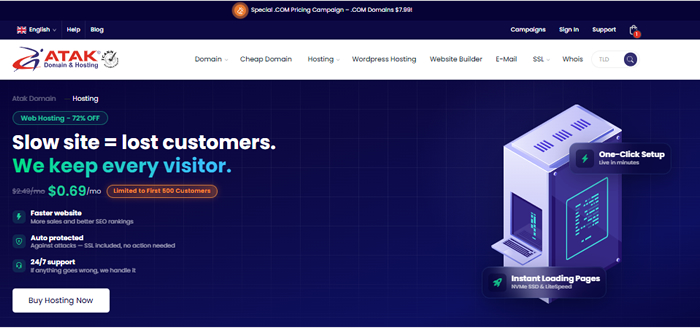
Google no longer ranks websites on content quality alone. Page speed and user experience are now direct ranking factors through Core Web Vitals — and both are determined largely by your hosting infrastructure.
A slow website will:
💡 SEO Note
Google's Core Web Vitals measure LCP (Largest Contentful Paint), FID (First Input Delay), and CLS (Cumulative Layout Shift).
All three are directly impacted by your hosting quality. A proper NVMe SSD hosting environment can meaningfully improve all three scores.
For e-commerce hosting and high-traffic sites in particular, every second counts. Studies consistently show that a one-second improvement in load time can increase conversions by around 7%.
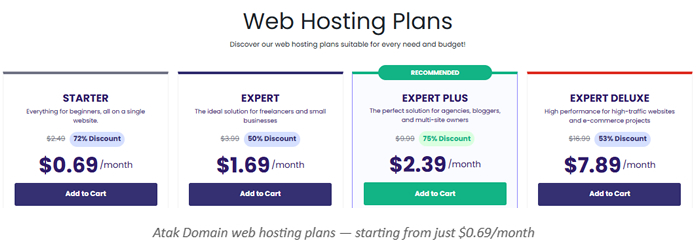
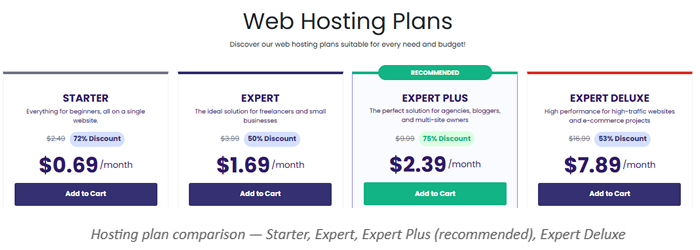
Start by matching your project's needs to a plan. Atak Domain's hosting plans come in four tiers, all running on NVMe SSD infrastructure with LiteSpeed servers:
| Plan | Price | Best For | Discount |
|---|---|---|---|
| STARTER | $0.69/mo | Blogs, personal sites | 72% off |
| EXPERT | $1.69/mo | Freelancers, small biz | 50% off |
| EXPERT PLUS ⭐ | $2.39/mo | Agencies, multi-sites | 75% off |
| EXPERT DELUXE | $7.89/mo | E-commerce, high traffic | 53% off |
⚡ Pro Tip
For most growing websites, Expert Plus is the sweet spot.
It lets you host multiple sites under one plan, comes with the biggest discount (75% off), and gives you room to grow without upgrading too soon.
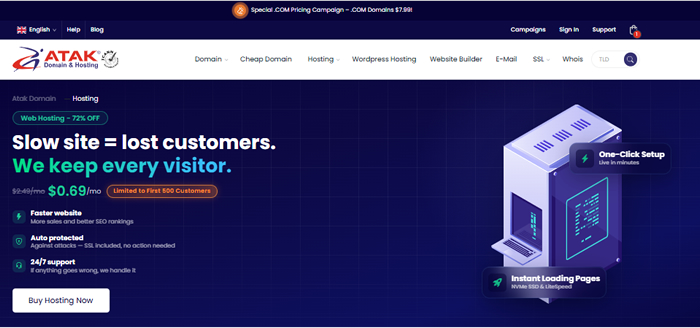
Buying hosting takes less than five minutes. Here's exactly what to expect at each stage:
Head to atakdomain.com/hosting, find the plan that fits your project, and click "Add to Cart." You'll be taken straight to the configuration screen.
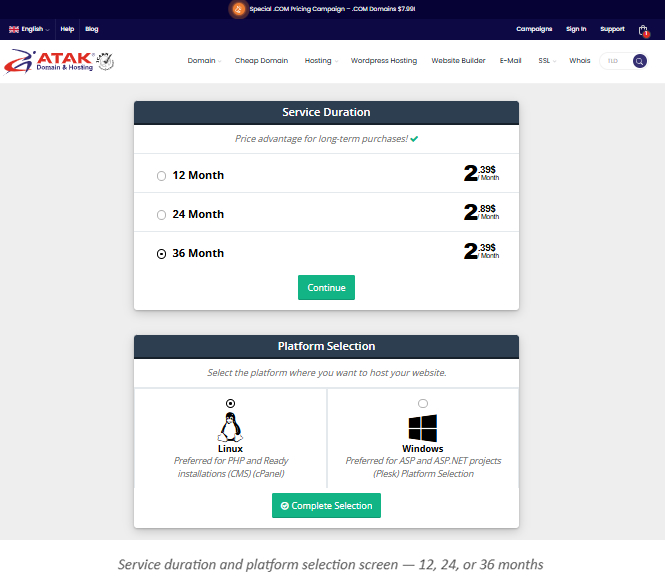
Service duration and platform selection screen — 12, 24, or 36 months
Choose between 12, 24, or 36 months. Longer terms lock in a lower monthly rate:
⭐ Worth Knowing
At Atak Domain, the 36-month plan is priced the same per month as the 12-month plan.
That means you get three years of hosting at no extra cost per month — while locking in today's price against any future increases.
This is a technical decision, but a simple one once you know what your project runs on:
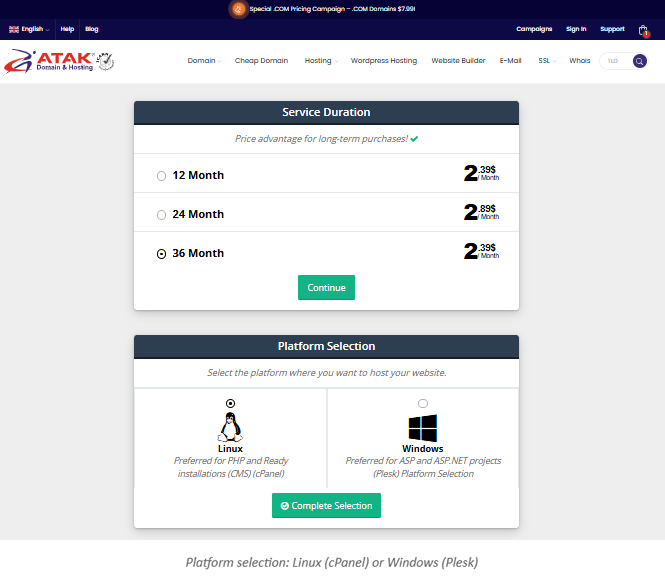
WordPress, WooCommerce, Joomla, Laravel, and virtually all PHP-based platforms run on Linux.
Around 95% of the web runs on Linux servers. Faster, more secure, and more affordable.
Building with ASP, ASP.NET, or MSSQL? Windows hosting via Plesk is the right choice. If you're not sure, you almost certainly want Linux.
At this stage you'll link a domain to your hosting. You have a few options:
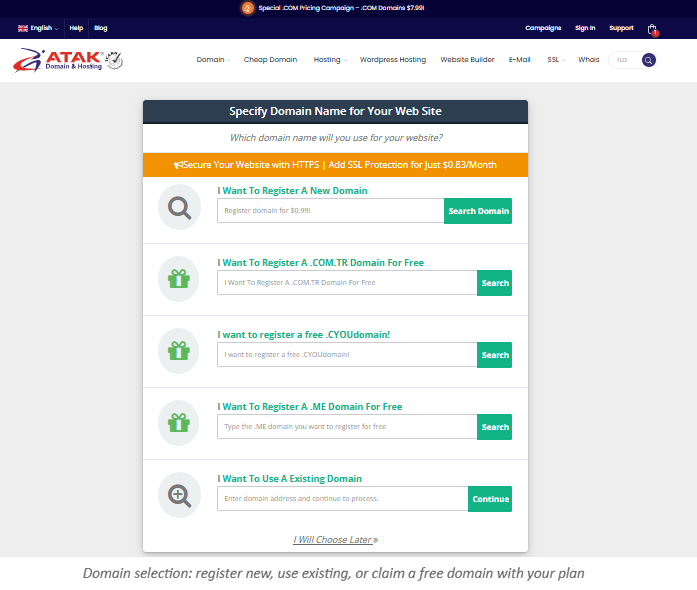
Domain selection: register new, use existing, or claim a free domain with your plan
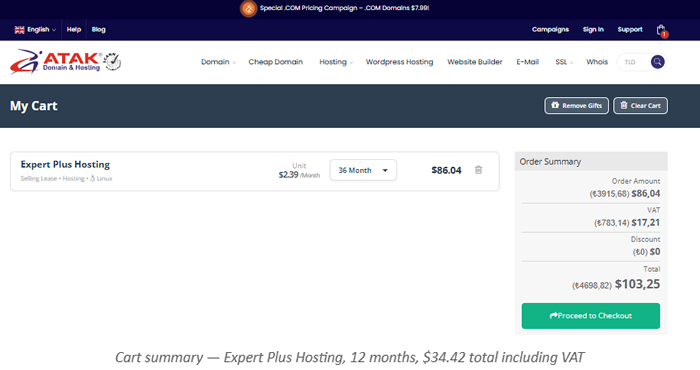
Before paying, review your order summary carefully:
The cheapest plan is rarely the best value. Underpowered hosting hurts your SEO, slows your site, and creates security vulnerabilities that cost far more to fix than the money saved upfront. Focus on price-to-performance ratio.
Even if your site is small today, buy with growth in mind. Upgrading mid-contract is possible, but choosing a scalable plan from the start avoids unnecessary friction.
You don't realize the value of 24/7 support until your site goes down at 2am. Atak Domain offers live support around the clock — a genuine safety net when something unexpected happens.
AI-driven search engines like ChatGPT, Gemini, and Google's Search Generative Experience don't just read your content — they evaluate your technical infrastructure, load speed, and overall user experience as part of how they rank and recommend pages.
Sites that are slow, unreliable, or returning errors are systematically disadvantaged in AI-assisted rankings. The hosting technologies that matter most:
📌 AI SEO Note
Most hosting articles still only talk about traditional SEO. AI search systems like Perplexity, ChatGPT Browse, and Google SGE pull answers from technically well-structured, fast-loading sources.
Getting your hosting infrastructure right is one of the highest-leverage things you can do for long-term AI search visibility.
| Use Case | Recommended Plan |
|---|---|
| Blog or portfolio site | Starter Hosting — $0.69/mo |
| Corporate website | Expert Hosting — $1.69/mo |
| WooCommerce store | Expert Plus — $2.39/mo |
| High-traffic site / agency | Expert Deluxe — $7.89/mo |
| ASP.NET / MSSQL project | Windows Hosting (Plesk) |
| WordPress site | Linux Hosting (cPanel) |
| Multiple site management | Expert Plus or Deluxe |
Atak Domain offers specialized hosting for a wide range of project types. Explore the right option for your stack:
Answers to the questions we hear most often about web hosting.
Web hosting is the service that stores your website's files, databases, and emails on servers connected to the internet 24/7. Without a hosting plan, your website cannot be accessed online.
A domain is your website's address on the internet (e.g. yoursite.com). Hosting is the server space where your website's files actually live. You need both to launch a website — the domain gets visitors to your door, hosting is the building they walk into.
If you're running WordPress, WooCommerce, PHP, or Laravel, go with Linux hosting. If your project uses ASP.NET or MSSQL, choose Windows hosting via Plesk. When in doubt, Linux is faster, cheaper, and runs 95% of the web.
No. A domain alone just reserves your address — it doesn't publish anything. You need hosting to store and serve your website's content to visitors.
WordPress runs on PHP, so Linux (cPanel) hosting is the right choice. Atak Domain's WordPress hosting plans include one-click installation, automatic updates, and a dedicated caching layer for WordPress performance.
Usually within minutes of payment confirmation. You'll receive your cPanel or Plesk login credentials by email, and once your domain is pointed correctly, your site is ready to go.
Yes. Free site migration is included with all plans. Your files, databases, and emails are transferred without downtime, so switching providers is straightforward.
Atak Domain operates its own infrastructure at scale, which allows it to offer cheap hosting without cutting corners on performance. Plans starting at $0.69/month are real, enterprise-grade hosting — not cut-rate shared servers.
Choosing the right hosting plan isn't just a technical task — it's one of the most impactful decisions you'll make for your site's SEO performance, user experience, conversion rate, and long-term credibility.
A fast, reliable, secure website ranks higher on Google, keeps visitors engaged longer, and converts more of them into customers. Everything starts with the infrastructure underneath.
Browse all hosting plans at: https://www.atakdomain.com/en/hosting
Starting from $0.69/month — free SSL, 24/7 support, one-click setup, and a 14-day money-back guarantee.