


Most WordPress survey plugins to collect user responses
04.01.2022
DNS settings decide which server opens your website and where your email is delivered.
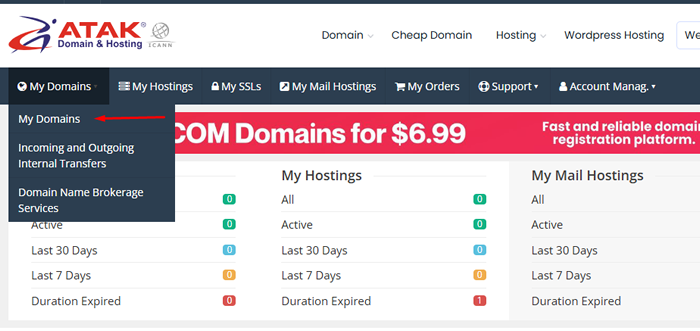

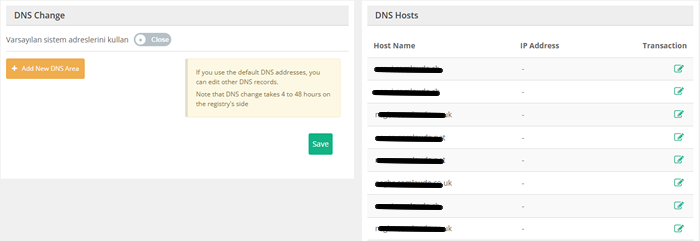
With the default system addresses switch on, your domain uses Atak Domain's nameservers. To move DNS to a provider such as Cloudflare, turn the switch off, add its nameservers with + Add New DNS Area and click Save; the panel notes this takes 4 to 48 hours.
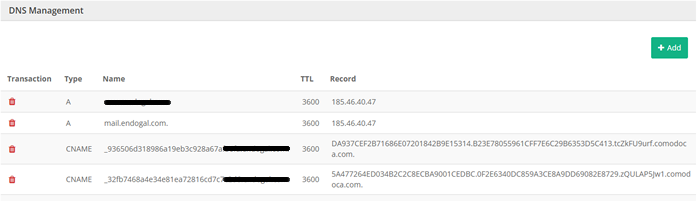
Click + Add to create a record or the bin icon to delete one. DNS Management records only take effect while your domain uses the default DNS addresses.
TTL is how many seconds resolvers may cache a record, so a change to a record with a TTL of 3600 usually shows up everywhere within an hour. The propagation checker in our DNS lookup tool shows which public resolvers already see the new value.
Need help with a record? Contact our support team.