
Who Hosts This Website? Find the Hosting Provider
27.08.2026
Building a website used to mean hiring a developer, learning to code, or spending weeks figuring out clunky page builders. Not anymore. AI has quietly changed everything. Today, you can describe what you want in plain English and watch a fully functional website come together in minutes. No coding. No design degree. No headaches.
But with dozens of AI website builders flooding the market, knowing which one is actually worth your time is a different challenge altogether. That's exactly what this guide is for. We've tested and compared the best AI website builders and tools available right now so you don't have to. Whether you're launching a personal portfolio, a small business site, or a full-blown e-commerce store, there's a tool on this list built for you.
Ready to build smarter, not harder? Let's dive in.
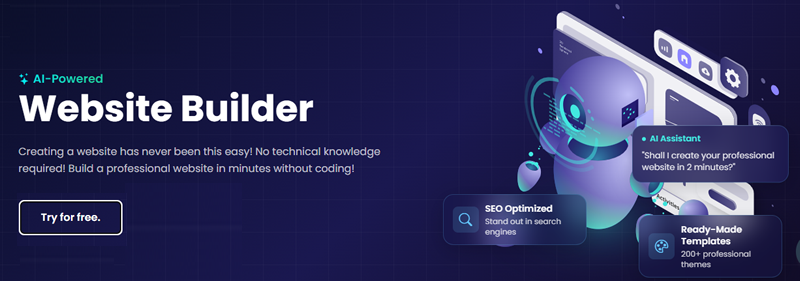
An AI-powered website builder is a tool that uses artificial intelligence to automate the web design process from layout and color schemes to copy and images. Instead of manually arranging elements or hiring a designer, you simply answer a few questions about your business and goals.
The AI takes it from there, generating a fully structured, ready-to-publish website in minutes. Think of it as artificial intelligence web design made accessible to everyone no technical skills required. Whether you're a complete beginner or just short on time, an AI that makes websites does the heavy lifting so you can focus on what actually matters: growing your business.
AI web design works like a very smart digital assistant. Instead of writing complex htmli css and js code, you just tell the AI what you need. For example, you type, "Create a modern website for my coffee shop." The AI instantly uses its html, css and all code needs to choose the right colors, write the starting text, and build the page layout.
It looks at thousands of good design rules to make sure everything looks professional. After the AI builds this first draft, you can easily change pictures, edit words, or move things around until you are done with the design.

Going into 2026, more and more programs and applications are moving towards one-screen AI chatbot interfaces. Website builders have not escaped this trend; as people search for the best AI for website design, major players are moving towards chatbot-ification of their programs from the end of 2025, from Site.pro and Wix to Shopify. It marks the start of true casual-friendly platforms, where using the best AI website generator requires virtually no web design or coding skills for creating websites for business or personal use.
It means that any business can go online in one day with no obstacles, no technical limitations. In this article we will quickly go through the history of AI in website builders and show how you can make a small business website in under an hour. In the end, there are tips on how to make your website perform even better. Don't miss out.
The big shift in how websites are made began with the introduction of the first AI tools to build website platforms back in 2016. But until very recently, these platforms were limited in terms of the actual AI implementation. Artificial intelligence used to be more of an extra feature that helped with the template selection, not a core of the product. Later, the use of dedicated AI tools for website design became a thing. Based on users’ prompts, older platforms customized pre-made templates and blocks, generated text, or acted as a basic FAQ.
However, they were not capable of actually performing complex commands inside the program. This is exactly where Site.pro stands out as our top recommendation. Site.pro has pioneered the true chatbot-ification of website building, acting as an all-in-one assistant that actually performs commands inside the editor. It eliminates the hassle of juggling multiple external apps by handling your design and content needs in one intuitive interface. However, if you are not using an all-encompassing platform like Site.pro and prefer to piece together your own tech stack, here are the top standalone AI tools you will need:

AI learning capabilities increased a lot during 2025, which led to the birth of true AI website builders platforms with AI that can create and edit websites while communicating with the user in the chat.
AI assistants are trained to not only know the website builder works, but to also be capable of putting this knowledge into practice.
Site.pro became one of the very first platforms with a deeply integrated AI that allows users to manage their websites without ever going into settings. It is capable of:
AI is constantly improving and learning to make better choices faster. Make a Website Quickly with AI Assistant
To prove how easy it is to create a website with AI assistance, let’s try going into Site.pro website builder.
We’ll make a website for a fictional laptop repairs service. For such businesses, having a website with clear pricing, contacts, and reviews is as important as having a spot on Google maps. Studies show that clean, user-friendly websites improve trust and help to raise awareness, which causes more clients to choose your service instead of a competitor.
First, we’ll need a prompt that describes our idea. Laptop repair services usually work with other devices as well — phones, tablets, PCs, and so on.
So, our prompt will be simple, but practical:
Then, all that is left is to add real contact information and pricing details. It can be done through chat as well, but the option to edit the website manually always remains. You can work alongside the AI, without waiting for it to finish its task.
Using an ai web design builder like Site.pro drastically cuts down the time it takes to go from an idea to a live page. If you want to build a website with ai quickly and efficiently without touching a single line of code, follow these five steps using Site.pro's intelligent assistant.
Start by selecting a platform that acts as a true virtual assistant rather than just a basic template library. With Site.pro, you get a new-generation AI builder that allows you to interact via both text and voice commands. This means you can start building your website on your desktop, or even command the AI from your phone while on the go.
Pro Tip: Look for an AI builder that offers built-in multilingual support and customer service AI widgets natively. This saves you from having to research, install, and pay for expensive third-party plugins later on.
Once inside the Site.pro platform, simply tell the AI what you need. You don't have to navigate complex menus. Just write or speak a clear description of your business, your target audience, and the overall vibe you want. The AI will instantly process your request and generate a fully structured website foundation tailored to your industry.
Pro Tip: Be as specific as possible in your initial prompt. Instead of saying "I need a coffee shop site," say, "I need a modern, dark-themed website for an artisanal coffee shop in Berlin that features a menu, an image gallery, and a contact section."
After the initial generation, it is time to refine the layout. Because Site.pro's AI understands the builder's internal structure, you can simply command the AI chatbot to make changes. For example, tell it to "add a contact form" or "insert a map of my business," and it will execute the command directly on the page. You also have full access to a drag-and-drop editor if you prefer to make manual padding, margin, or layout tweaks.
Pro Tip: Don't be afraid to regenerate specific sections. If a particular block or layout doesn't fit your vision, simply ask the AI to provide a new design iteration until you find the perfect match.
Now, flesh out your pages. You can use the Site.pro AI to generate compelling headers and paragraphs, and even create custom media like images and illustrations directly within the editor. If you plan to reach a global audience, the platform shines here: you can command the AI to automatically translate your entire site and seamlessly create all necessary language versions.
Pro Tip: While the AI generates excellent starting copy, always read through it and inject your own personal brand voice or specific company details to make the text feel authentic and unique to your customers.
Before hitting the publish button, ensure your website is ready to be found on search engines. You can use Site.pro's integrated SEO AI to automatically generate highly optimized meta titles, meta descriptions, and targeted keywords. Once everything is optimized, hit publish to push your site live on rapid local servers with a single click.
Pro Tip: When you build a website with AI, SEO shouldn't be an afterthought. Make sure to command the AI to generate unique meta information for every single page (About Us, Services, Contact), not just the homepage, to maximize your search visibility.
Yes, can ai build a website from scratch? Absolutely. Modern AI platforms handle everything from laying out the foundational structure to generating initial text and selecting appropriate images. While the AI produces a fully functional and mobile-ready draft in minutes, you will still want to review and personalize the content to perfectly match your brand's unique voice.
If you are wondering if there is an ai website builder that truly does it all, the answer is yes. In 2026, top contenders include Site.pro, Wix, and Shopify. Site.pro stands out for its all-in-one chatbot interface that actively executes your design commands inside the editor, making it incredibly intuitive for beginners and small business owners.
Not at all. Using an ai no code website builder means you do not need to understand HTML, CSS, or JavaScript. You simply communicate with the AI using plain English—either via text prompts or voice commands. The system instantly translates your everyday language into a functional, beautifully coded website behind the scenes.
The best ai for website design depends on your specific workflow. For an all-in-one automated experience, Site.pro's native AI is exceptional. If you prefer assembling a custom tech stack, you might use Midjourney for bespoke images, ChatGPT for crafting compelling copy, and GitHub Copilot if you are a developer looking to write custom code faster.
An ai powered website builder is generally very affordable compared to hiring a traditional web agency. Most platforms operate on a SaaS model, offering free basic tiers or charging between $10 and $30 per month for premium features, custom domain hosting, and advanced AI access. Some also offer one-off complete site generation packages starting around $50.
When you create a website with ai, the initial generation process is incredibly fast, often taking less than a minute. Setting up a complete, professional site—including customizing the layout, refining the generated copy, and adjusting the images—typically takes under an hour. It is the fastest way to get your small business online without technical hurdles.
Yes, a modern ai web design tool automatically handles essential technical SEO. It generates fast-loading HTML, mobile-responsive layouts, and proper heading structures. Many also draft your initial meta titles and descriptions. However, to truly rank on Google, you must manually refine the AI's content to ensure it is highly relevant, authoritative, and tailored to your local audience.