Do You Need a Trustee Service to Register a ccTLD?
24.12.2020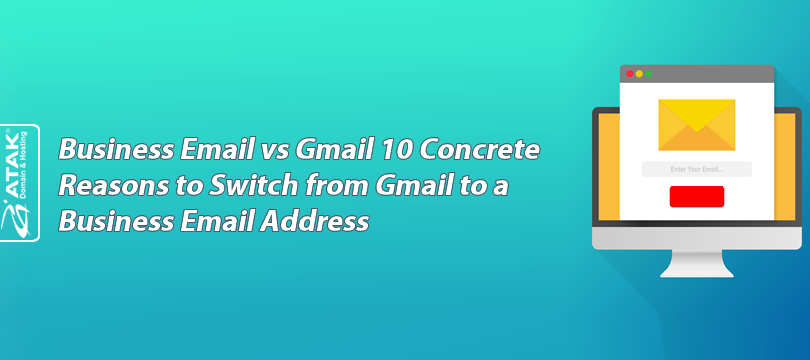
A business email address (info@yourcompany.com) outperforms free Gmail on trust, security, and deliverability.
SPF/DKIM/DMARC auto-configured, phishing risk reduced, inbox delivery rates improved.
Central management: add/remove users, department addresses, compliance controls — all from one panel.
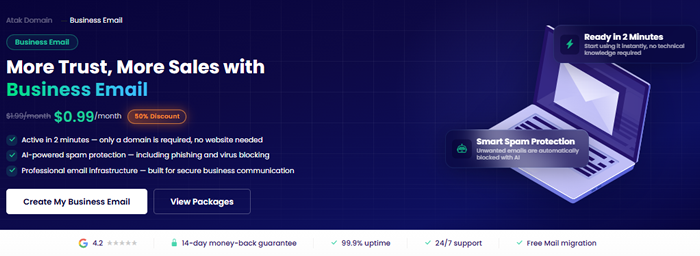
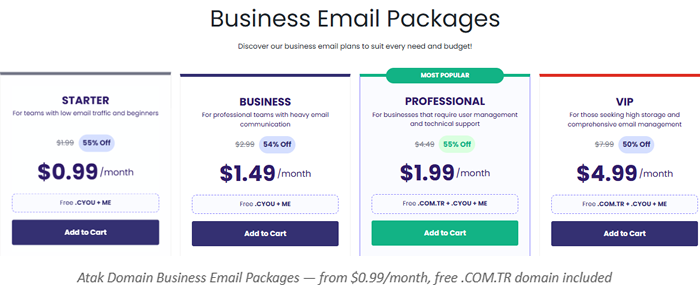
Atak Domain business email plans from $0.99/month. Free .COM.TR domain included.
A potential client receives two quotes. One comes from:
A) bestquotes2019@gmail.com
B) quotes@agencyname.com
Which one gets opened? Which one gets trusted? Which one gets a reply?
Your email address is evaluated before a single word of your message is read.
Most people approach emails from free addresses with caution — especially proposals, payments, and support. Business email changes that perception from the first line. Here are 10 concrete reasons why.

The table below summarises the core differences between the two systems:
Gmail is a strong, practical solution for personal use. But in professional client communication, a business email address creates a meaningfully stronger trust signal at every step.
Sometimes knowing when to switch matters more than knowing how. If any of the following apply to you, the time has likely come to move away from Gmail:
Two addresses, one decision: yourname@gmail.com or info@yourcompany.com. In proposals, contracts, and first-time outreach, a company-domain address shapes perception before a single word is read.
People are conditioned to treat free email addresses with caution, especially for payment requests, proposals, and support. A company domain removes that hesitation immediately — open rates go up, skepticism goes down.
Every send puts your brand in front of someone. support@yourcompany.com and sales@yourcompany.com are memorable, consistent, and professional — none of which applies to a shared Gmail address.
SPF, DKIM, and DMARC are auto-configured. TLS encryption, two-factor authentication, and AI-powered phishing protection come standard. Free services leave these as individual responsibilities — which means they often go unconfigured.
Misconfigured SPF or DKIM records are among the most common causes of emails being caught by spam filters. Professional mail infrastructure handles this automatically — the chance of proposals and invoices reaching the inbox improves, and silent filtering becomes less likely.
When a team member leaves, their client history, conversations, and contacts should stay with the company — not walk out the door in a personal Gmail account. With centralized mail management, accounts are deactivated instantly.
support@, sales@, billing@, hr@ — each team has its own address. Customers reach the right department directly, internal routing works automatically. Less confusion, faster response times.
www.yourcompany.com and info@yourcompany.com — same domain, same brand. Consistent identity across domain, email, and website helps reinforce the entity trust signals used by search engines and AI-powered search systems to evaluate source credibility. The more aligned your brand presence, the easier it is for both humans and AI assistants to recognise and recommend you.
New hire, new department, new location — add users, set quotas, configure forwarding from one panel. Your email infrastructure never becomes a bottleneck as the business scales.
Professional email infrastructure provides backup systems, access control, activity logs, and account auditing. Free services leave businesses exposed on all of these fronts.
Short answer: anyone who communicates professionally with clients. But for certain sectors, it's no longer optional — it's the baseline expectation:
Business email uses your company domain (info@yourcompany.com). Gmail is a free generic service (@gmail.com). Business email provides SPF/DKIM/DMARC security, centralized management, and brand trust.
Yes. Properly configured SPF, DKIM, and DMARC records reduce the likelihood of emails landing in spam. Misconfigured records are among the most common causes of poor deliverability.
No. You only need a domain name. A website is not required to set up a business email address.
Not a direct ranking factor. However, consistent brand identity across domain, email, and website helps search engines and AI-powered search systems recognise your brand as a credible entity. This entity consistency can contribute positively to how AI assistants and search systems evaluate source trustworthiness.
Yes. Full compatibility with all Microsoft Outlook versions via IMAP, SMTP, and POP3. Also works with iPhone, Android, and webmail.
Two things: a domain name and a few minutes. After purchasing a business email plan at Atak Domain, the system is active within 2 minutes. SPF/DKIM/DMARC are auto-configured, and it connects to Outlook and mobile immediately.
Starter $0.99 — Business $1.49 — Professional $1.99 — VIP $4.99/mo. AI spam protection, free .COM.TR domain, IMAP/SMTP, SSL, 24/7 support in every plan.
View plans: atakdomain.com/en/business-email