
Who Owns a Domain? How to Check with WHOIS and RDAP?
03.08.2026
Most people assume buying a domain name involves some hidden complexity. It does not. With the right tools in front of you, the whole process takes under ten minutes — even less if you already know what you want.
Speed is not the concern here. The mistakes that cost real money — choosing the wrong extension, picking a name someone else owns, or forgetting to renew — all come from moving too quickly without thinking through the decision. This guide walks through every step with enough context that you understand not just what to do, but why.
Whether you are registering your first domain or your fiftieth, the process below covers everything from the initial name choice to the DNS configuration that makes your address actually work.
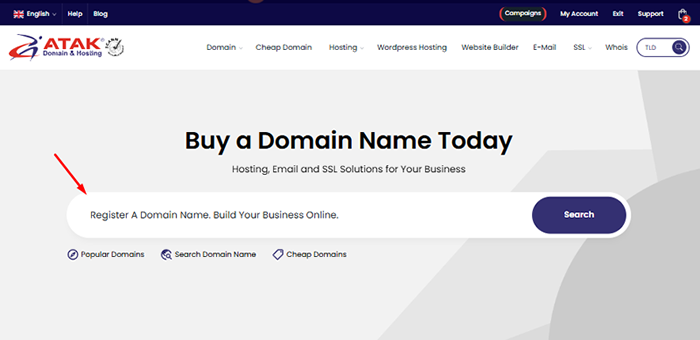
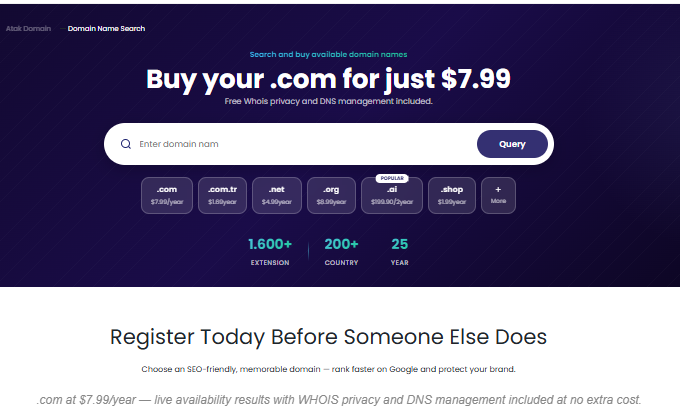
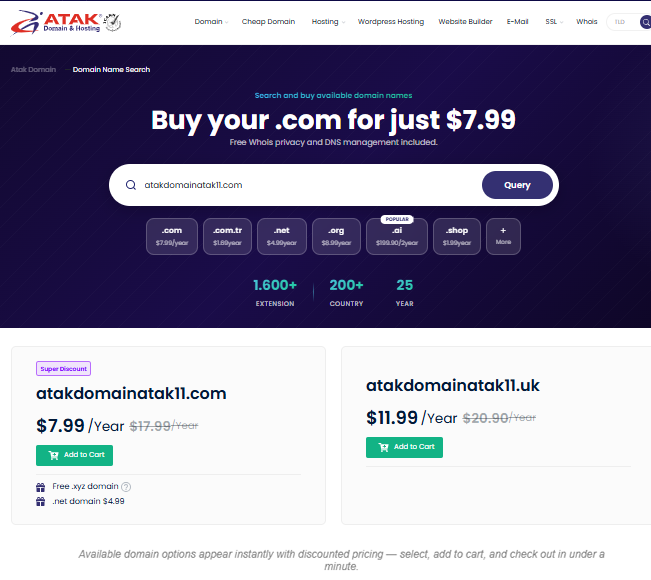
Atak Domain: search and register across 1,600+ extensions, with live pricing and instant availability checks.
 A domain name is your address on the internet. It is what people type to find your website, the part that appears after the @ in your email address, and the foundation of how your brand is perceived online before anyone has read a word of your content.
Technically, every device on the internet has a numeric IP address. Domain names translate those numbers into something human-readable. When someone types “atakdomain.com” into a browser, the DNS system resolves that string to the correct IP address and delivers the right page. The user never sees the number.
In practice, a domain does considerably more than technical routing. It shapes brand perception, builds trust, and influences how visitors behave before they engage with anything on your site. A potential customer or business partner sees your web address before they see your homepage. That first impression is worth taking seriously.
A domain and hosting are separate things. Your domain is the address; hosting is the server infrastructure where your site's files actually live. You can buy them from different providers, though most people find it simpler to manage both in one place.

A top-level domain (TLD) is the suffix at the end of a domain name: .com, .net, .org, .io, and so on. All extensions function the same way technically. The differences that matter are in user perception, brand recall, and long-term credibility.
.com is the internet's default extension. With over 160 million registered domains, it leads every other TLD by a wide margin. Users who hear a brand name will type .com instinctively — which means if your .com is taken and someone else owns it, you are sending potential visitors elsewhere every time your brand is mentioned.
For investor meetings, enterprise sales, and international partnerships, .com functions as a quiet credibility signal. It does not close deals on its own, but its absence occasionally raises questions at precisely the moments when you cannot afford friction.
Not every situation calls for .com. The table below compares common extensions by audience fit, recognition, and cost:
| Extension | Best For | Global Recognition | Cost Level |
|---|---|---|---|
| .com | Any business or individual | Highest | Mid-range |
| .net | Tech / network companies | High | Mid-range |
| .org | Nonprofits / foundations | High | Mid-range |
| .io | Startups / developers | Technical circles | Higher |
| .ai | AI-focused companies | Growing fast | Higher |
| .co.uk / .de / .com.tr | Local / regional markets | Country-specific | Low to mid |
The practical rule: if .com is available and within budget, register it. If not, choose the strongest alternative for your audience — and keep the .com acquisition on your medium-term roadmap.
Your domain name is one of the harder decisions to reverse once you have launched. Changing it later means rebuilding brand recognition, breaking existing links, and starting your SEO authority from scratch. Getting it right from the start is worth the extra time upfront.
Short and memorable: Two to four syllables is the sweet spot. Longer names get misspelled when typed and misheard when spoken aloud.
Easy to pronounce: Say it out loud. If you need to spell it out every time someone asks for your website, it is working against you. Avoid hyphens, numbers, and special characters.
Brand name or keyword: Using your brand name builds long-term equity. Keyword-based domains can carry an early SEO advantage, but brand recognition compounds more reliably over time.
Legally clear: Make sure your chosen name does not infringe on a registered trademark. A quick search before registering is much cheaper than a dispute afterward.
Social handle availability: Check that matching or near-matching usernames are available on the major platforms. Consistent branding across channels matters more as your audience grows.
If your preferred .com is registered, you have a few realistic options:
Try variations: Adding a location, industry term, or action prefix ("get", "try", "use") can produce something both available and memorable.
Use a domain broker: A broker can approach the current owner confidentially on your behalf. Parked domains are often acquirable at a negotiated price.
Watch for upcoming expiries: WHOIS lookups show registration expiry dates. Domains approaching their end date sometimes become available without any negotiation needed.
Consider an alternative extension: Based on your audience and industry, a different TLD may serve you well in the short term while you pursue the .com acquisition separately.
The table below walks through the full registration process, with a brief note on why each step matters:
1
Pick something short, memorable, and connected to your brand or core keyword. This decision is harder to reverse than most people expect, so get it right before you register.
2
Run a WHOIS lookup or domain search on Atak Domain to check your preferred name and a few alternatives in real time.
3
If .com is available and fits your budget, choose it. Consider alternatives only when .com is taken or genuinely not the right fit for your audience.
4
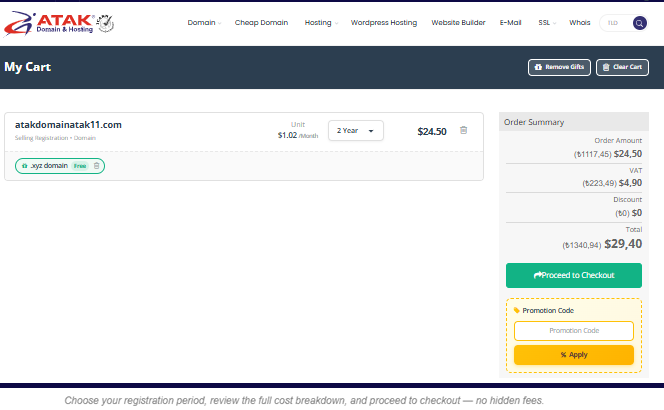
From the Atak Domain order page, select your registration period and complete checkout. Longer terms often cost less per year.
5
Point your domain at your hosting server, email provider, and any other services using A, MX, CNAME, and TXT records.
6
Activate free WHOIS privacy protection to keep your personal registration details off public lookup databases.
7
Enable auto-renewal and add the expiry date to your calendar as a backup. A forgotten renewal can cost your brand its address.
Registering a domain does not automatically make your website live. DNS configuration is what connects your domain name to the actual server, email provider, and other services you want it to reach.
The most common DNS record types you will work with:
A Record: Maps your domain to an IPv4 address (your hosting server). Required if you are hosting a website.
CNAME Record: Points a subdomain or domain to another domain name. Used for CDNs, third-party SaaS tools, and subdomain management.
MX Record: Defines which server handles your incoming email. Every email provider (Google Workspace, Microsoft 365, etc.) has its own set of MX values.
TXT Record: Used for domain ownership verification and email security protocols including SPF, DKIM, and DMARC.
NS Record: Specifies the authoritative nameservers for your domain. Usually needs updating when you switch hosting providers.
DNS changes are not instantaneous. Propagation — the time it takes for updated records to reach DNS servers worldwide — typically takes between 1 and 48 hours. Lowering your TTL value before making significant changes helps the update spread more quickly.
When you register a domain, your name and contact information are recorded in the WHOIS database — a public registry of domain ownership. Without privacy protection, anyone can query that database and see your personal details.
WHOIS privacy protection replaces your personal information with the registrar's contact details in public lookups, effectively shielding your identity from spam and data harvesting. Atak Domain includes WHOIS privacy free on every registration.
WHOIS data is also a useful competitive research tool. Checking when a competitor's domain expires, or which registrar they use, can occasionally surface strategic information. Run a lookup at: www.atakdomain.com/whois
A domain registration is not permanent. When the registration period ends, the domain enters a grace window before it is released back to the public. If someone else registers it during that window — or immediately after — you lose the address you have built your brand on.
This happens more often than most people realize. An old billing email, a change in payment method, or simply forgetting to check — and a domain held for years is suddenly gone. Recovering it from the redemption period costs significantly more than a standard renewal, and that is assuming no one else has already claimed it.
Enable auto-renewal: Turn this on in your Atak Domain account and leave it on. It is the simplest protection against an avoidable loss.
Calendar reminders: Add the expiry date as a separate reminder independent of auto-renewal. Two layers of protection for something this important is not overkill.
Keep contact details current: Renewal notifications go to the email on file. If that address is inactive or no longer monitored, alerts will not reach you.
Register for multiple years: A two or three-year registration reduces renewal risk and often works out cheaper per year. It also sends a minor but positive signal of commitment to some domain authority assessments.
Domain hijacking occurs when someone gains unauthorized access to your registrar account and either transfers the domain or makes changes to your DNS without your knowledge. The result is losing control of an address your business depends on.
The most effective protections:
Strong password and two-factor authentication (2FA): Your Atak Domain account should have 2FA enabled. A password alone is not sufficient — the second verification step makes unauthorized access extremely difficult even if credentials are compromised.
Registrar lock (domain lock): A "locked" status prevents any outbound transfer without an explicit unlock step. If you are not actively planning a transfer, the lock should always be on.
Access control: Domain management access should be limited to people who actually need it. Revoke access immediately when team members leave the organization.
The cost of registering a domain varies primarily by extension. .com sits in the mid-range and has been priced relatively consistently for years. Other TLDs range from very cheap (promotional or newer extensions) to expensive (premium names or ccTLDs with higher registry fees).
Things to understand before registering:
First-year promotional pricing: Many registrars offer heavily discounted first-year rates. The renewal price — which applies every subsequent year — is often significantly higher. Always check both before committing. Atak Domain shows both prices clearly on every domain listing.
WHOIS privacy fee: Some providers charge extra for privacy protection. Atak Domain includes it free with every registration.
Transfer fee: Moving a domain to a different registrar typically incurs a transfer charge. Prices vary but are usually comparable to a one-year renewal.
Restore / redemption fee: If a domain expires and enters the redemption grace period before you renew it, recovery costs considerably more than a standard renewal. Auto-renewal makes this entirely avoidable.
Before committing to an extension, it is worth comparing both registration and renewal costs. See all current domain pricing at: www.atakdomain.com/domain
Choose your registration period, review the full cost breakdown, and proceed to checkout — no hidden fees.
No. Registering a domain requires no technical background. Search for your preferred name on Atak Domain, choose an extension, and complete checkout. Technical knowledge only becomes relevant if you plan to configure DNS manually or integrate the domain with custom server setups.
Start with a WHOIS lookup to understand whether the domain is actively in use or simply parked. Parked domains are often acquirable through a broker. Try variations on your brand name — adding a location, a product category, or a simple action prefix can yield something both available and effective. If you need to launch before acquiring the .com, choose the extension that best fits your audience and keep the acquisition on your roadmap.
Registration is instant. However, DNS propagation — the time it takes for your updated records to reach servers globally — can take anywhere from a few minutes to 48 hours. During that window, some visitors may still see old DNS data. Your site, hosting, and content also need to be ready before the domain can serve live pages.
Technically, no. You can buy a domain anywhere and point it at any hosting provider by updating your NS records. In practice, managing both through Atak Domain means a single control panel, integrated billing, and one support team for any issues. If you ever change hosting, your domain stays put.
Standard domain transfers typically complete within 5 to 7 business days. You will need to unlock the domain at your current registrar, obtain the EPP (authorization) code, and ensure your WHOIS contact email is current. Once the transfer is initiated, a confirmation email goes to the registrant address — approval triggers the transfer to proceed.
Registering a domain is a straightforward technical step — but it is also the first concrete decision you make about how your brand shows up in the world. A well-chosen domain name pays for itself within the first year in time saved, credibility earned, and traffic that arrives where it is supposed to. Whatever extension you go with, check availability first, consider the alternatives honestly, and set up renewal before you forget. The rest takes care of itself.
Natural anchor text candidates within the article body, with recommended destination pages:
| Anchor Text | Destination URL |
|---|---|
| [$] Buy a domain domain search | www.atakdomain.com/en/domain-name-search |
| [+] SSL certificate | www.atakdomain.com/en/ssl-certificate |
| [%] Business email | www.atakdomain.com/en/business-email |
| [~] Web hosting | www.atakdomain.com/en/hosting |
Domain & Technology Writer
Atak Domain
Produces content on corporate communication infrastructures, email security, and digital brand identity.