


What is the top level domain?
20.09.2024
Quick answer: DNS is the distributed system that connects human-readable domain names with the records used by websites, email, and other internet services. When a device requests a domain, a recursive resolver follows the DNS hierarchy or uses a cached response to obtain the records published by the domain's authoritative nameservers and return the information needed to reach the requested service.

In this guide: why DNS is more than a phonebook · how resolution actually works · domain vs. DNS vs. nameserver vs. hosting · common record types · what "propagation" really means · how to change DNS safely · how to che ck your records · DNS security basics · common mistakes · a migration checklist · FAQ.
A phonebook maps one name to one number, printed once and reused until the next edition. DNS is closer to a distributed, constantly updated directory with delegated sections: no single organization holds the whole database, authority for each part is delegated down a hierarchy, and answers are cached temporarily rather than fixed until reprinted.
DNS also returns more than addresses. A single domain can publish records that route email, verify domain ownership for a third-party service, authorize which certificate authorities may issue certificates, point to other services entirely, or delegate a subdomain to a different provider. Website addressing is one job DNS does, not the only one.
 A resolution is a short conversation between several systems, most of it invisible and most of it fast. Here's what happens when a device looks up a domain like example.com:
1. A browser, operating system, or application requests a name — for example, a lookup for example.com.
2. The device's stub resolver, a lightweight client built into the operating system, hands the request to a recursive resolver, typically run by an ISP, a public DNS provider, or a corporate network.
3. The recursive resolver checks its own cache first. If it already holds a usable, unexpired answer, it returns that immediately without contacting anyone else.
4. If there's no usable cached answer, the resolver queries the DNS hierarchy on the client's behalf.
5. It starts at a root nameserver, which doesn't know the answer but refers the resolver to the correct top-level domain (TLD) nameservers — in this case, the servers responsible for .com.
6. The TLD nameserver doesn't know the final answer either, but refers the resolver to the authoritative nameservers for example.com specifically.
7. The resolver queries the authoritative nameserver, which holds the actual DNS zone for the domain and returns the requested record — or an appropriate response if the record doesn't exist.
8. The recursive resolver caches the result according to the record's TTL (time to live) and returns the answer to the requesting device.
Most of this happens in milliseconds. Caching often means the resolver does not need to repeat the full hierarchy lookup for every request.
[Recommend an original diagram for the live page, not a borrowed graphic. Suggested flow:]
Device / application
-> stub resolver
-> recursive resolver (checks cache first)
-> root nameserver (referral)
-> TLD nameserver (referral)
-> authoritative nameserver (returns record)
-> recursive resolver (caches per TTL)
-> device
These terms get used interchangeably in casual conversation, but each one is a genuinely different thing, controlled by different parties.
| Term | What it is | What it controls | If it changes |
|---|---|---|---|
| Domain name | A human-readable name registered for a fixed, renewable term | Nothing technical by itself — it's an identifier | The name itself stays the same; what it points to depends on DNS |
| Registrar | The company (like Atak Domain) accredited to sell and administer domain registrations | Registration status, renewal, transfer authorization | May change who you manage the registration through, not necessarily the DNS |
| Registry | The organization operating the authoritative database for a TLD (e.g., .com) | TLD-level policy and the master zone for that extension | Rarely changes for an end user; affects the whole extension, not one domain |
| DNS | The overall lookup system and the protocol it runs on | How names resolve to records of any type | Affects every service tied to the domain: website, email, verification, more |
| Authoritative nameserver | The server holding the actual DNS zone for a domain | The specific records published for that domain | Changing it (via delegation) can change every record the domain resolves to |
| Recursive resolver | The server that looks up answers on a client's behalf | Which cached answers a specific device or network sees, and how fast | Changing it affects speed and privacy, not what the domain's records actually say |
| Web hosting | The server storing and serving a website's files | What loads when someone reaches the site by domain or IP | Requires DNS to still point visitors to the right server |
| Email provider | The service that sends, receives, and stores email for a domain | Mailbox delivery, spam filtering, storage | Requires correct MX, SPF, DKIM, and DMARC records to keep working |
A DNS zone is a collection of records for a domain. These are the types you'll encounter most often, using reserved documentation values rather than any real domain.
| Record | Purpose | Simple example | Caution |
|---|---|---|---|
| A | Points a name to an IPv4 address | example.com → 192.0.2.10 | Documentation range shown; real records use your actual server address |
| AAAA | Points a name to an IPv6 address | example.com → 2001\:db8::10 | Often overlooked — a stale or missing AAAA can cause inconsistent behavior for IPv6-first clients |
| CNAME | Makes one name an alias of another canonical name | www\.example.com → example.com | Generally can't coexist with other records at the same owner name, and traditional DNS doesn't allow one at the zone apex; some providers offer ALIAS/ANAME or CNAME-flattening as a workaround |
| MX | Identifies mail exchanger hostnames, with priority values for ordering | example.com → mail.example.com (priority 10) | Must point to a hostname, not an IP address directly |
| TXT | Publishes arbitrary text, commonly used for verification and email authentication | SPF, DKIM, and DMARC-related values are typically stored here | Multiple TXT records can coexist; syntax errors can silently break email authentication |
| NS | Delegates DNS authority for a domain or subdomain to specific nameservers | example.com → ns1.example.com, ns2.example.com | Changing nameserver delegation at the registrar can move authority to a different DNS provider; editing an NS record inside the zone alone does not necessarily update the parent delegation |
| CAA | States which certificate authorities are allowed to issue TLS certificates for the domain | example.com → CAA 0 issue "ca.example.net" | An overly restrictive CAA record can block certificate issuance from a CA you actually need |
| SRV | Publishes the location of a specific service, including port and priority | \_service.\_proto.example.com → target host and port | Used by specific protocols (e.g., some VoIP and chat systems), not general web traffic |
| PTR | Maps an IP address back to a hostname — reverse DNS | 192.0.2.10 → mail.example.com | Usually controlled by whoever provides the IP address, not the domain's registrar |
| SOA | Start of Authority — holds zone-level metadata: primary nameserver, refresh/retry timers, and more | Present once per zone, generated automatically by most providers | Usually managed by the DNS provider. The refresh and retry values mainly affect how secondary authoritative servers check for zone updates. The SOA TTL and MINIMUM field are also used when calculating how long negative answers such as NXDOMAIN may be cached; they do not set the TTL for every record in the zone |
 "Propagation" is convenient shorthand the industry uses, but it describes the visible effect, not the actual mechanism. DNS changes aren't copied out to every device on the internet simultaneously. What actually happens is caching expiry, spread across many independent resolvers, each on its own schedule.
TTL — time to live — is a value attached to each DNS record that tells resolvers how long they're allowed to reuse a cached answer before checking again. It controls the upper bound on how long a stale answer can persist; it does not guarantee an exact worldwide update time, because not every resolver respects TTL identically and some cache longer than instructed.
This is why two people can query the same domain at the same moment and get different answers for a short window: their traffic may go through different recursive resolvers, each holding a different cached copy with a different remaining TTL. It's not a fault in either answer — both were correct when cached.
Lowering TTL helps only if you do it early. A short TTL set the moment before a migration doesn't retroactively shorten answers that resolvers already cached at the old, longer TTL. Lower the TTL well ahead of a planned change — often a day or more, depending on the original value — so the old, longer-lived cached answers have time to expire naturally before you make the switch.
• Clearing a browser cache is not the same as clearing your operating system's DNS cache or a recursive resolver's cache — a stubborn result can persist in any of these independently, and fixing one doesn't fix the others.
• Changing nameservers carries two kinds of risk at once — delegation risk (pointing to the wrong authoritative servers) and zone-content risk (the new zone missing records the old one had).
• "Up to 24–48 hours" is a rough, commonly cited window, not a technical guarantee — actual timing depends on the TTLs involved and how individual resolvers behave, and it can be shorter or longer.

These are three different actions with three different risk profiles. Confusing them is one of the most common sources of avoidable outages.
This delegates the domain to a different authoritative DNS provider entirely — effectively swapping out the whole zone. It's the highest-impact of the three actions, because every record the domain previously published can change at once, including ones you forgot existed.
NS records identify the authoritative nameservers for a zone. For a registered domain, changing the delegation normally requires updating the nameservers through the registrar so the parent zone is updated. Editing NS records only inside the child zone may not change the parent delegation, and mismatches can cause inconsistent or failed resolution.
This changes one or more entries inside the existing zone — for example, updating an A record to point to a new server, without changing who's authoritative for the domain. It's more contained than changing nameservers, but a single mistyped record can still take down a website or break mail delivery.
This changes which recursive resolver your computer or phone asks — for example, switching from an ISP's default resolver to a public one. It affects lookup speed and, depending on the resolver, privacy and filtering. It has no effect whatsoever on the domain's actual published records.
1. Export or otherwise document the current DNS zone in full before touching anything.
2. Identify every website, email, verification, and security record currently in use — not just the ones you remember.
3. Confirm the destination values with whatever new provider or server you're moving to.
4. Lower TTL sufficiently in advance where operationally appropriate, so old cached answers can expire before the cutover.
5. Recreate and validate the new zone completely before changing delegation to it.
6. Change one layer at a time where practical, rather than switching nameservers and rewriting records simultaneously.
7. Test the root domain, www, email delivery, and any critical subdomains after each change.
8. Keep the old service available during the transition window rather than decommissioning it immediately.
9. Monitor for failures actively during the cutover, not just once at the end.
10. Maintain a tested rollback plan you could actually execute under pressure, not just a mental note.
Replacing nameservers without recreating MX, TXT (including SPF and DKIM), DMARC, and verification records is one of the most common causes of interrupted email and broken third-party integrations after a migration.
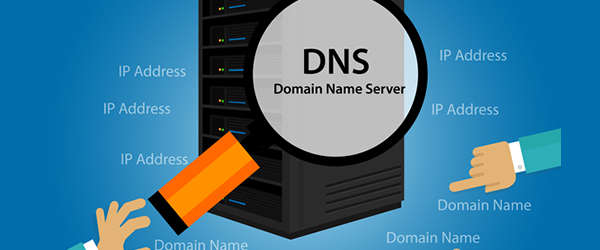
A public DNS lookup tool shows the DNS data currently visible through its lookup path. It helps you inspect A, AAAA, MX, TXT, NS, and other records for a domain — before or after a change — but its result does not prove that every recursive resolver worldwide has refreshed its cache; a resolver somewhere may still be serving an older, unexpired answer.
DNS LOOKUP
Look up the current A, AAAA, MX, TXT, NS, and other records published for any domain.
This shows the DNS records returned through the lookup service. Other resolvers may still serve older cached answers until their cache entries expire.
A domain's DNS is a high-value target — controlling it means controlling where a website's visitors and a company's email actually go. These are the baseline protections worth having in place.
• Two-factor authentication — on both the registrar account and any separate DNS management account, since these can be different logins.
• Least-privilege access — give team members only the level of access they actually need, not full account control by default.
• Restricted API credentials — if you automate DNS changes, scope API keys narrowly and rotate them periodically.
• Allowed-IP controls, where supported — some providers let you restrict management access to specific IP ranges.
• Registrar lock and account recovery — understand how your account can be recovered if access is lost, and keep that path secure.
• DNSSEC — adds origin authentication and integrity validation to DNS responses, making certain spoofing and cache-poisoning attacks harder. It does not encrypt ordinary DNS queries and does not hide browsing activity — that's a different problem, addressed by separate technologies.
• Monitoring nameserver and record changes — unexpected changes are often the first visible sign of a compromised account.
• Protection of the registrant and admin email address — this inbox is frequently the recovery path for the entire account; losing control of it is a serious risk on its own.
• Change logs and rollback records — keep a dated record of what changed and what the previous values were, so a bad change can be reversed quickly.
None of these controls, individually or together, make an account immune to every attack — they reduce risk and shorten recovery time, which is a realistic goal.
• Replacing nameservers without first copying the existing zone.
• Deleting MX, SPF, DKIM, DMARC, or verification records during a website migration, often because nobody documented they existed.
• Adding a CNAME where conflicting records already exist at the same name.
• Pointing an MX record directly to an IP address instead of a hostname.
• Confusing a registrar transfer with a nameserver change — they're different actions with different effects.
• Assuming every DNS issue is "propagation" instead of checking for an actual misconfiguration.
• Editing DNS at several providers simultaneously during a migration, losing track of which is authoritative.
• Forgetting IPv6 entirely, or leaving a stale AAAA record pointing to an old server.
• Setting TTL values that are unusually long or unusually short without an operational reason for either.
• Making changes without keeping a rollback record of the previous values.
☐ Full export of the current DNS zone saved before making any change
☐ Every website, email, verification, and security record identified and listed
☐ Destination values confirmed with the new provider or server
☐ TTL lowered with enough lead time for old cached answers to expire
☐ New zone recreated and validated before changing delegation
☐ Changes made one layer at a time where practical
☐ Root domain tested after the change
☐ www (or equivalent) tested after the change
☐ Email delivery tested after the change
☐ Critical subdomains tested after the change
☐ MX, SPF, DKIM, and DMARC records specifically verified, not assumed
☐ Old service kept running during the transition window
☐ Active monitoring in place during the cutover
☐ Tested, documented rollback plan ready before starting
No. DNS tells devices where to find your website by publishing records like A or AAAA that point to your hosting server's address. The actual files, database, and application run on the hosting server itself — DNS is the directory entry, not the building.
No. DNS is the overall system and protocol; a nameserver is a specific server that answers DNS queries, either authoritatively for a zone or recursively on a client's behalf. A domain's nameservers are one part of how DNS works for that domain, not the whole system.
An authoritative nameserver holds the actual DNS zone for a domain and gives the definitive answer for its records. A recursive resolver doesn't hold that data itself — it queries the DNS hierarchy on a client's behalf, caches the result, and returns it. They serve different roles in the same lookup.
It depends on the TTL of the records involved and how individual resolvers cache answers — commonly cited windows like "24–48 hours" are rough guidance, not a technical guarantee. A record with a short, properly pre-lowered TTL can update much faster; a long-cached answer can persist for individual resolvers well past a typical estimate.
You're delegating the domain to a different authoritative DNS provider, which replaces the entire zone the domain previously used — not just one record. Every record type the domain relied on, including MX, TXT, and verification records, needs to exist correctly in the new zone or the corresponding service can break.
DNSSEC (Domain Name System Security Extensions) adds cryptographic signatures to DNS responses so a resolver can verify a record actually came from the legitimate authoritative source and wasn't tampered with in transit. It protects the integrity and origin of DNS answers, not the content of your website or email.
No. DNSSEC provides origin authentication and data integrity — proof that a response is genuine and unaltered. It does not encrypt the query or response, and it does not hide which domains a device is looking up; that's a separate concern addressed by different technologies.
Yes. Many domains use their registrar's default DNS service, but a domain can be registered with one company and have its DNS hosted by a completely separate provider, as long as the domain's nameservers are delegated to point at that provider.
Yes, and it's common. DNS makes this possible by letting different record types point to different destinations — an A or AAAA record can point to one hosting provider while MX records point to an entirely separate email service, all within the same DNS zone.
This is usually caching, not a broken change. Different users' traffic passes through different recursive resolvers, and each one may be holding a cached answer from before your update, still valid until its TTL expires. The inconsistency typically resolves on its own as each cache ages out.
Not directly. Changing which recursive resolver you use can affect how quickly lookups resolve, and a well-configured, well-located resolver can shave time off individual queries, but DNS resolution is a small part of overall page load time. It doesn't increase your connection speed or bypass network limitations.
Use a DNS lookup tool to query the domain's current MX and TXT records directly and compare them against your documented, expected values. This shows what the lookup tool currently returns for those records — it's the most direct way to catch a record that was accidentally dropped during a migration.
• DNS connects domain names with the technical services behind them — addresses, mail servers, verification data, and more, not just one IP address per domain.
• Most DNS-related outages come from missing or conflicting records, incorrect delegation, or migrations run without a documented plan — not from mysterious "propagation" delays.
• Safe changes depend on a current zone copy, careful validation, staged implementation, active monitoring, and a rollback plan you could actually use.
Review your domain's public DNS, MX, TXT, NS, and related records before and after a migration. For complex website and email moves, keep a verified copy of the current zone and change one layer at a time.
DNS CHECK
Review your domain's public DNS, MX, TXT, NS, and related records before and after a migration.
For complex website and email moves, keep a verified copy of the current zone and change one layer at a time.
Also useful: Manage business-critical domains · what is a domain name