


What is the top level domain?
14.10.2026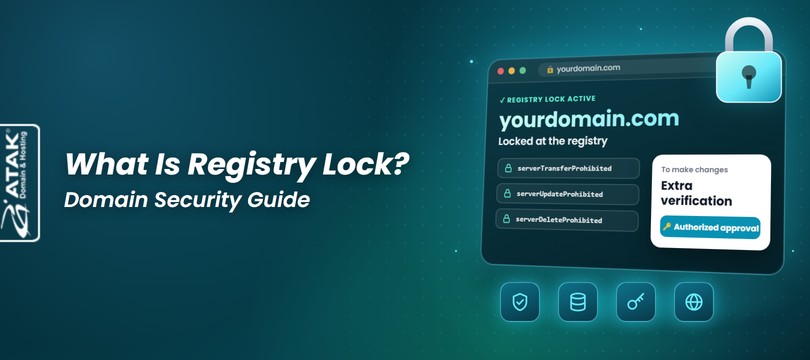
Registry Lock is an added security service that locks your domain at the registry level. The registry is the central operator of a domain extension; Verisign, for example, runs the database behind .com and .net. While Registry Lock is active, the registry rejects any attempt to transfer your domain to another registrar, delete it, or update data such as its nameservers or contacts. Those changes can only go through after the lock is lifted in a separate verification process between your registrar and the registry. It makes the most sense for e-commerce, financial and high-traffic businesses, where a domain outage turns straight into lost revenue and damaged trust.
The main risk it addresses is domain hijacking. Anyone who gets into your account at the registrar can point your nameservers at their own servers, redirecting web and email traffic, or try to move the domain to another registrar. Registry Lock puts those changes behind an approval step that doesn’t depend on your account password.

Registry Lock relies on status codes that the registry places on your domain and that your registrar can’t remove on its own. Registrars talk to registries through a standard protocol called EPP (Extensible Provisioning Protocol), and EPP domain statuses come in two kinds:
Once a request is approved, the registry adds the server statuses, and from then on any transfer, delete or update command coming from the registrar is refused. To lift the lock, authorized staff at the registrar complete an extra verification with the registry over a pre-agreed channel. Verisign describes this as authentication carried out outside the EPP connection.
Some registries can also lock the nameserver records registered under your domain (host objects, such as ns1.example.com). At Verisign, the domain and each host are separate locks. If you run your own nameservers under your domain, ask about this specifically.
Registry Lock usually consists of three EPP statuses applied together:
| Status | What it blocks | In practice |
|---|---|---|
| serverTransferProhibited | Transfers between registrars | The domain can’t be moved to another registrar, even if someone obtains the transfer (auth) code. |
| serverUpdateProhibited | Updates to domain data held at the registry | Nameservers (delegation), contacts and registrant details stored at the registry can’t be changed. |
| serverDeleteProhibited | Deletion of the domain | The domain can’t be removed through a delete command sent by the registrar. |
The exact scope and any exceptions depend on each registry’s procedures. Verisign states that all three server statuses must be present for a domain in its extensions to count as Registry Locked. The same statuses can, however, be applied for other reasons, such as a legal dispute or a pending deletion. Seeing them in a WHOIS or RDAP lookup doesn’t prove on its own that the service is active, so confirm it with your provider.
Renewal isn’t covered by these three statuses. A separate status (serverRenewProhibited) blocks renewals, and it isn’t a standard part of Registry Lock. A locked domain can usually be renewed as normal, but it’s worth checking how your extension handles it.
The registry stores which nameservers your domain is delegated to. Your website’s IP address and your mail server, on the other hand, are defined in the DNS zone at your DNS provider.
Example: say example-store.com is delegated to ns1.dnsprovider.net and ns2.dnsprovider.net. Registry Lock stops anyone from replacing those two nameservers. But someone with access to your DNS provider account can still, on the very same nameservers, point the A record to a different IP address, send the MX record to another mail server or edit TXT records. Those changes are outside Registry Lock’s reach.
These four measures protect different layers, and none of them replaces another. DNSSEC is a DNS extension that validates responses with digital signatures; two-factor authentication (2FA) asks for a second proof of identity at login.
| Measure | Protection layer | Main purpose | Main risk covered | What it doesn’t cover on its own |
|---|---|---|---|---|
| Registry Lock | Registry | Freezing critical registration data at the registry | Unauthorized transfer, deletion, nameserver or contact changes, even if the account is compromised | Records at your DNS provider, hosting and email accounts |
| Transfer lock (registrar) | Registrar | Stopping unwanted transfers | Unauthorized transfer to another registrar | Anyone with control-panel access can remove it; it doesn’t stop nameserver changes or deletion |
| DNSSEC | DNS responses | Verifying that DNS responses are authentic | Forged or tampered DNS responses (e.g. cache poisoning) | Changes made from an authorized account; no effect on non-validating resolvers |
| 2FA | Account access | Requiring a second factor at login | Logins with a leaked password | Doesn’t fully stop session theft or phished codes; doesn’t prevent mistakes by authorized users |
This scenario is illustrative. At an online retailer, the password for the domain management account is stolen through a phishing email. Two-factor authentication isn’t turned on.
The attacker repoints the nameservers to their own servers from the control panel. Once the change reaches the registry, website visitors and incoming email gradually start flowing to the attacker. With DNS under their control, they may try to obtain an SSL certificate for the domain or read password-reset emails. Next, they can switch off the transfer lock and try to move the domain to another registrar. Because of DNS caching, even reverting the settings quickly doesn’t undo the damage right away.
The attacker tries the same nameserver change or transfer, and the registry rejects the commands. Lifting the lock would mean getting past pre-registered authorized contacts and a separate verification between registrar and registry. Meanwhile, the company has time to recover the account and reset its passwords.
Registry Lock suits domains where even a few hours of misdirected traffic would be serious, and where technical settings rarely change. These questions will help you decide:
On that basis, it’s most valuable for e-commerce and payment businesses, banks and financial institutions, public-sector and healthcare services, SaaS providers and high-traffic brands. For test or campaign domains whose nameservers change often, the unlock process can quickly become needless overhead.
Not every extension offers Registry Lock: the registry provides the service, and the registrar provides access to it. The table below shows the main extensions where Registry Lock is available; Atak Domain’s support team can confirm the current status for your domain.
Extensions that support Registry Lock (checked 8 October 2026)
| Generic top-level domains (gTLD), alphabetical | ||||
|---|---|---|---|---|
| .archi | .art | .bar | .bet | .bio |
| .black | .blue | .college | .com | .design |
| .global | .green | .info | .ink | .kim |
| .lgbt | .llc | .lotto | .love | .mobi |
| .name | .net | .organic | .pet | .pink |
| .poker | .pro | .promo | .protection | .red |
| .rent | .rest | .security | .shiksha | .ski |
| .storage | .theatre | .tickets | .vote | .voto |
| .wiki | .xyz | xn--6frz82g (.移动) | ||
| Country-code top-level domains (ccTLD), alphabetical | |||||
|---|---|---|---|---|---|
| .ac | .au | .com.au | .net.au | .org.au | .cc |
| .ch | .fm | .io | .li | .me | .sh |
Keep in mind:
The lock is lifted temporarily, the change is made, and the lock goes back on. Details vary by registry and provider, but the process usually looks like this:
The added security doesn’t come from the process taking longer. It comes from an authorization check that runs separately from routine control-panel actions. Because that check usually involves a person, timing depends on how the registry operates, the verification method and the provider’s procedure. If a passphrase or code used for unlocking is lost, a registry-specific procedure applies and the process can take longer.
Registry Lock protects the registration data held at the registry. On its own, it doesn’t prevent:
For projects that involve switching hosting or DNS providers, moving data centers or updating nameservers, build the unlock time into the schedule. Scheduling the change for a quiet period limits the impact of any delay.
The list of people who can request an unlock, and their contact details, should always be up to date; when someone on it leaves, change the list right away. If every contact email runs on the protected domain, you may not receive notifications when that very domain has a problem. Registering at least one contact with an address on a different domain reduces that risk.
Turn on 2FA for your registrar and DNS provider accounts, limit control-panel access to the people who need it, and regularly check auto-renewal and that your payment method is still valid.
Share your domain with the Atak Domain support team to find out about availability, current pricing and terms.
A transfer lock can be switched on and off in your control panel, so anyone who gets into your account can do the same. Registry Lock sits at the registry, can’t be lifted without extra verification, and covers deletion and updates as well as transfers.
Not while the lock is active; serverUpdateProhibited prevents it. The lock is lifted temporarily for the change.
No. Records such as A, MX, TXT and CNAME live at your DNS provider; Registry Lock only covers data held at the registry.
Registry Lock’s standard statuses don’t block renewal; a separate EPP status does that. Renewal is usually possible, but check the rules for your extension and provider in advance.
No. The registry has to offer it and your registrar has to provide access. Ask your provider about your extension.
Registries usually charge separately for it; the final price and billing period depend on the registry’s and registrar’s terms. The Atak Domain support team can tell you the current price for your domain.
There’s no fixed time; it varies by registry and provider. Because extra verification and registry approval are involved, don’t assume it will be done in minutes, and start early for planned changes.
They address different risks. If a domain outage would be costly for your business, Registry Lock adds a third layer that stops critical changes even when an account is compromised.